As many of you may know, Google Adwords is Google’s program or platform to offer advertisers the possibility of publicizing their brand, products and/or services through sponsored links, that is to say, that our ads appear in Google search results, on third party pages (on those websites that have Google AdsenseGoogle’s program so that from your website, third parties can place their ads on your website in exchange for income for the insertion of such advertising), or in the videos of the Youtube network, paying a price (CPCCPM: cost per click, i.e. you pay each time your users “click” on your ads. CPM: cost per thousand impressions, i.e. you pay a price each time your ads appear a thousand times. In this mode, your ads are not “clickable”, so your users will not be able to land on your website. CPV: or what is the same, cost per ad view. This option is only available if TrueView video ads are enabled).
How to create my Adwords video ad campaigns:
With video campaigns in Google Adwords we can create our ads in different formats in the following networks:
- Google Display Network (Google’s network of web content publishers)
- YouTube.
- Applications, games and video publisher pages from the Google Display Network, including YouTube.
The video formats in these campaigns can be of two types:
1. In-stream True-Viewin these campaigns, your ads will appear just before the video is played. This format is available for YouTube networks and Google Display Network. The user, in these cases, will be able to skip your ad 5 seconds after the ad is shown. For videos longer than or equal to 30 seconds, you will be charged when the user reaches 30 seconds of the video. For videos shorter than 30 seconds, you will be charged once the user reaches the end of the video. For this type of campaign, you will need a promotional video to be seen before the one the user is looking for or wants to watch. Here the cost, as explained above, is CPV (cost per view).
2. In-display True-View: here the formats are as follows:
- a)YouTube Promoted Video Overlay.
- b)Suggestions of promoted videos and related videos
- c) Google play-per-click ads. That is, this type of ads will appear overwritten in the videos of Google Networks and may be of different sizes. We will be charged every time the user clicks on our ads. The networks are: Youtube and the Google Display Network.
Steps to follow to create our Adwords video campaigns:
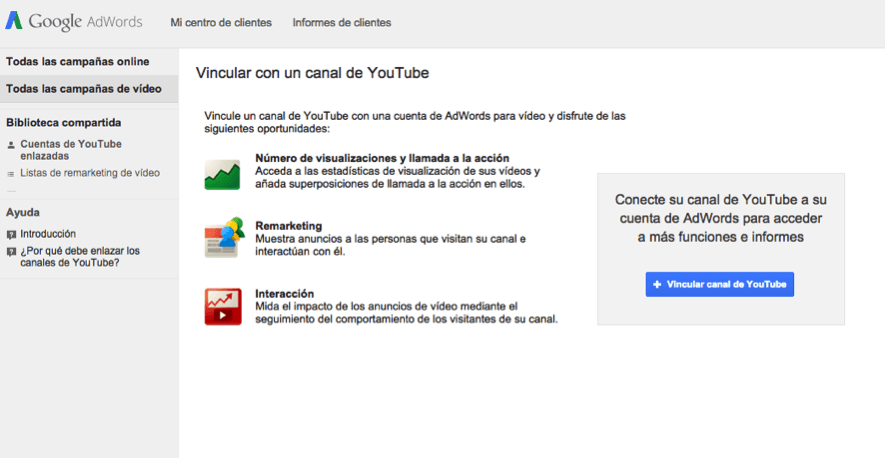
1. The first thing we have to do is to link our Google Adwords accounts with Youtube, so you can more easily choose the ads in which you want to advertise. To do this you simply have to click on the link “Link Youtube channel”. Then click on the “Link YouTube account” button. Doing this will take us to our Youtube account to be able to link both.
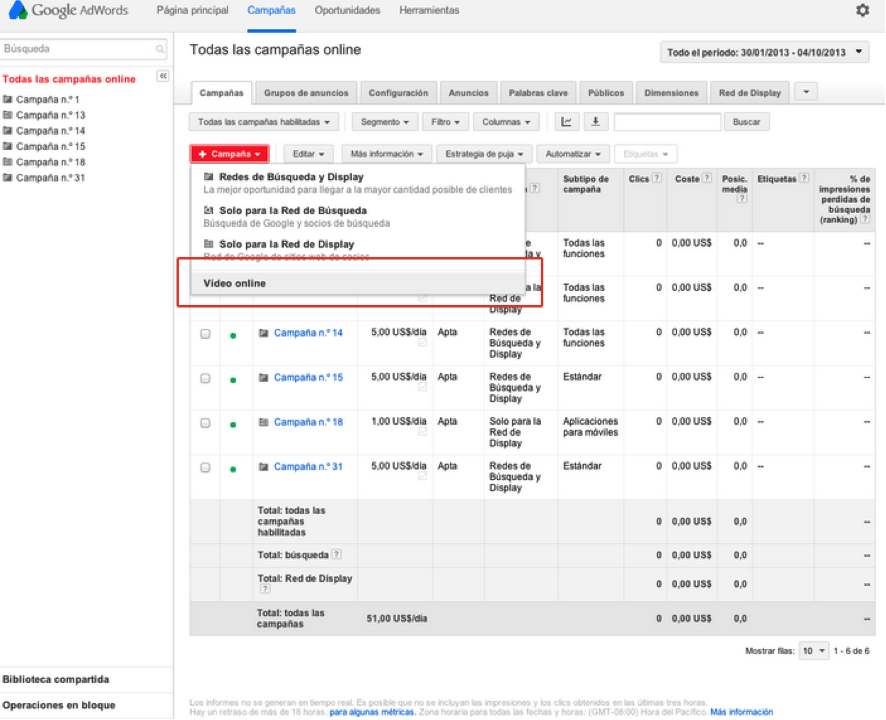
2. Campaign creation: we will create our campaigns by simply selecting “Online video” once we have clicked on the “New campaign” button. We will then proceed to the configuration of our video campaign: ads, languages, geographic targeting, time scheduling, maximum CPC, daily investment, content display, audience type…etc.
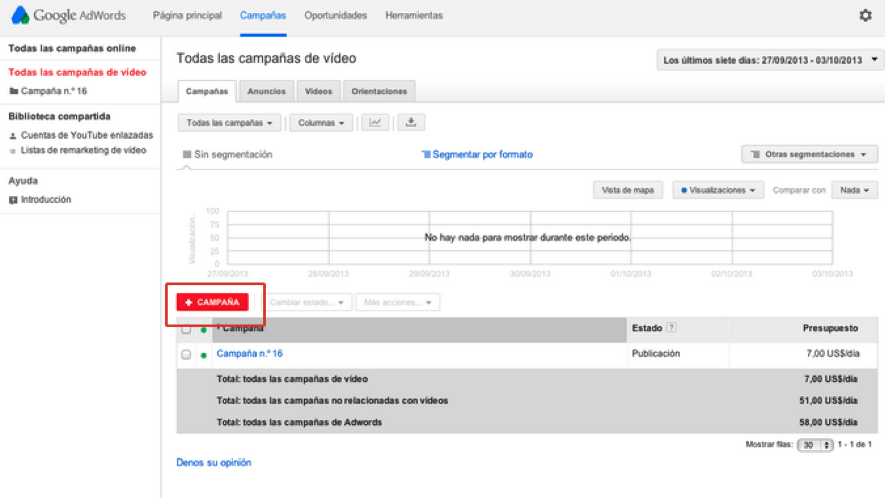
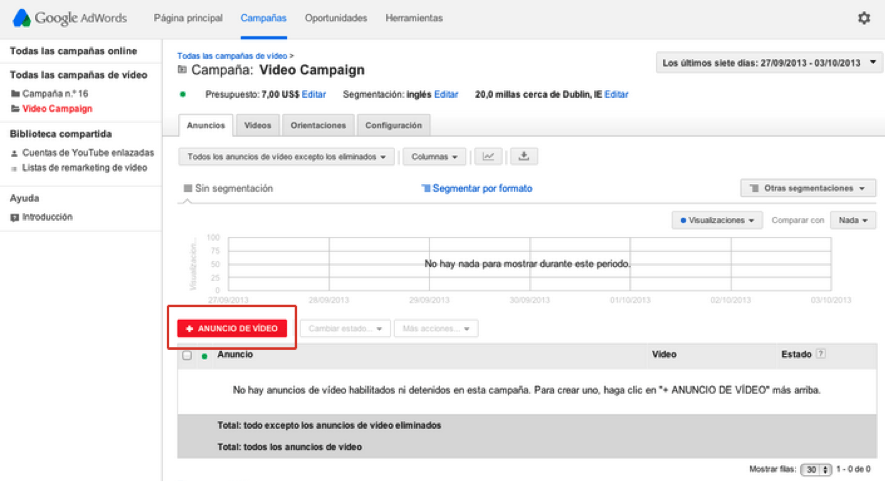
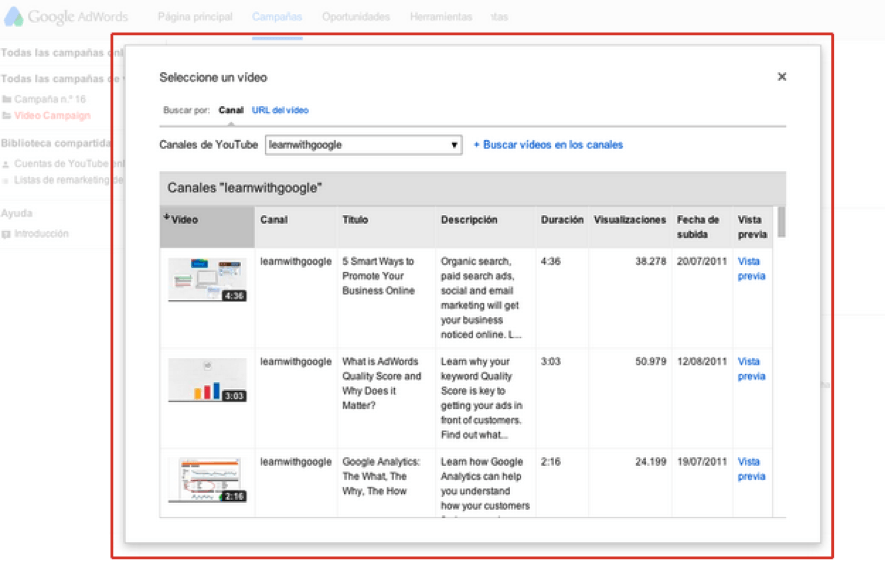
3. Creating your ads: simply go to the “Ads” tab within your campaigns and click on the “New video ad” button. Afterwards, a window will open for you to choose the video where you can insert your ads. Here you will have to fill in the title, the two-line description and the visible and target URL for the ad.
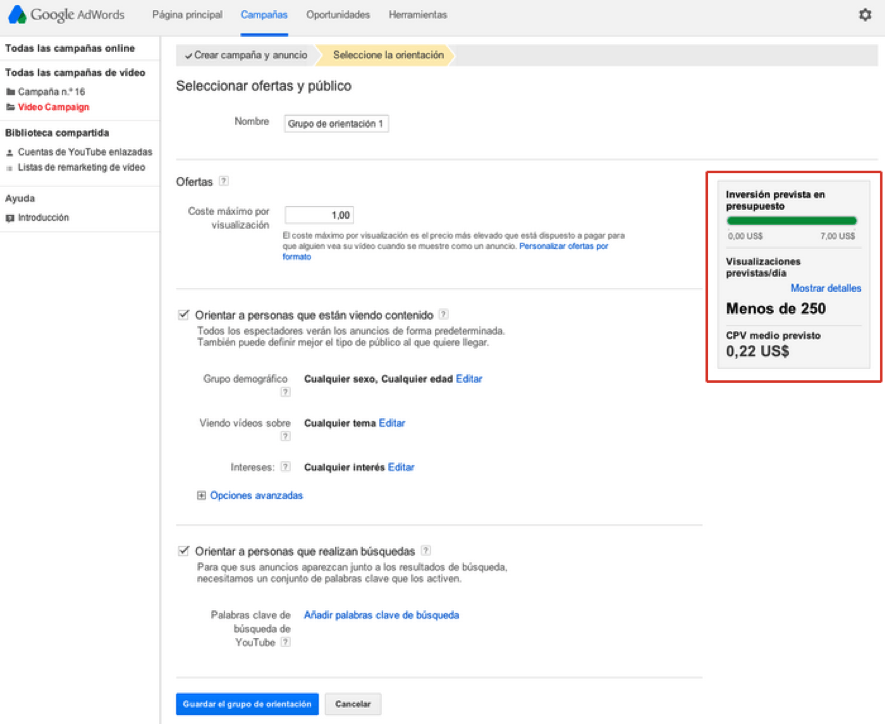
4. Targeting group: this allows you to choose who you want to see your ads. For this you will need to select keywords, topics, audiences, interests and locations to configure the type of target audience you want to address. Here you will need to set your Maximum CPV. Depending on this, and your competition, your ads will appear in some display positions or others. If you configure your segmentation well, you will have a lower competition, and therefore a higher visibility.
5. Measure the performance of your ad campaigns: it is essential to see the evolution of your ads to make decisions about their performance. Here are some of the basic metrics so you can see how your campaigns are performing:
- Thumbnail = people who have seen the thumbnail video.
- Video = people who have watched the video at full size.
- Views = how many people have seen the ad.
- Percentage of views = views/impressions.
- Average CPV = the average of what you have paid per display.
- Website clicks = how many people have visited your website after viewing the advertisement (these clicks are free in In-stream True-View)
