
Index
- What Is the WhatsApp Business API?
- WhatsApp Business App vs. API: When Should an SME Make the Switch?
- How Does the API Benefit an SME?
- How much does the WhatsApp Business API cost for an SME?
- A Step-by-Step Guide to Getting Started (Without Technical Equipment)
- Use Cases for Small and Medium-Sized Businesses by Industry
- Common Mistakes Made by Small Businesses When Starting Out (and How to Avoid Them)
- Frequently Asked Questions
“That’s something only big companies do” is the most common objection we hear when we talk about the WhatsApp Business API for small and medium-sized businesses. And that’s a mistake: today, any small business with even a minimal volume of orders, appointments, or inquiries can set it up without its own technical team, by relying on a provider. In this guide , we’ll explore exactly what it is, how it benefits you compared to the free app, what the realistic cost is, and how to make the switch step by step.
What Is the WhatsApp Business API?
The WhatsApp Business API (now known as the WhatsApp Business Platform) is the version of WhatsApp designed to help businesses communicate with their customers at scale: multiple people handling the same number, automated messages triggered by events, and integration with other tools (CRM, online store, reservation system). Unlike the app you’re familiar with, it isn’t installed on a phone: you sign up for it through an official provider (BSP) and manage it from a dashboard or through the tools you integrate it with. If you want the full technical details, we explain it in our guide on what the WhatsApp Business API is.
WhatsApp Business App vs. API: When Should an SME Make the Switch?
The free app works well as long as just one person can respond manually and the volume is manageable. The sign that it’s time to take the leap is usually one of these three: more than one person needs to reply from the same number, you start missing messages because you can’t keep up, or you want to automate something you currently do manually (confirming an appointment, notifying someone that an order is ready, reminding someone of a pending payment). If none of these three scenarios apply to you yet, the app is probably still useful; as soon as one of them does, the API is no longer a luxury.
How Does the API Benefit an SME?
Having multiple people handle the same number (multi-agent)
The entire team—reception, sales, and support—can respond from the company’s WhatsApp number, with conversations distributed among team members and without relying on a single person’s personal cell phone.
Automate responses and notifications (orders, appointments, reminders)
Appointment confirmations, notifications that an order is ready for pickup, or payment reminders can be sent automatically, without anyone having to remember to send them. And for questions that come up day after day (hours, location, prices), a WhatsApp Business chatbot handles them on its own, freeing up the team’s time for tasks that do require human interaction.
Integrate WhatsApp with your CRM or your online store
When you integrate WhatsApp with your CRM, every conversation is logged in your history instead of getting lost in a standalone chat. And if you sell online, the same benefits apply to your store: we covered this in detail in our guide to WhatsApp Business API strategies for e-commerce.
Send campaigns and messages using approved templates
You can send out announcements about new features, limited-time promotions, or mass reminders using Meta-approved templates—something the WhatsApp Business app doesn’t allow on a scalable basis.
How much does the WhatsApp Business API cost for an SME?
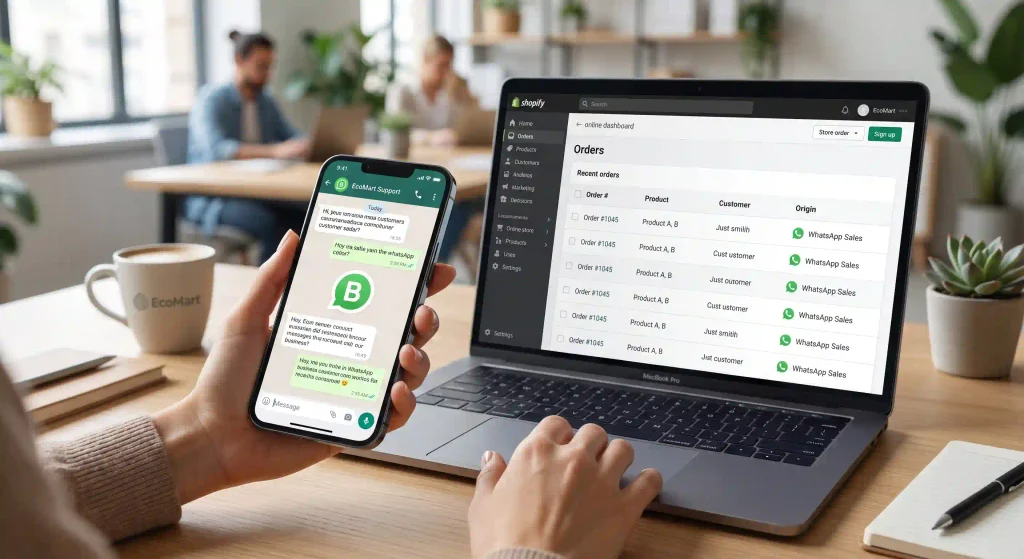
There is no single rate: the cost depends on the provider (BSP) you choose, the volume of conversations you generate each month, and your customers’ country, since Meta bills per open conversation. For an SME, the typical structure is a monthly platform fee plus a variable cost per conversation, which is usually very affordable when you consider the time saved on manual customer service. The best approach is to request a quote from a provider by specifying your actual message volume, rather than relying on generic prices that don’t reflect your specific situation.
A Step-by-Step Guide to Getting Started (Without Technical Equipment)
Choosing a Partner or BSP
A BSP (Business Solution Provider) is the company that gives you access to the API and, typically, the dashboard from which you can manage conversations. Choosing a partner to handle the technical setup is what allows an SME to take the plunge without hiring an IT professional.
Verify Your Phone Number and Business on Meta
Meta requires you to verify your company’s identity and the phone number you’ll be using. Your provider will guide you through this process, which typically takes anywhere from a few days to a couple of weeks, depending on the volume of requests.
Create templates and obtain opt-ins
Before launching anything, prepare two or three message templates (welcome, confirmation, reminder) for Meta to approve, and determine how you will obtain explicit consent from your customers to contact them through this channel.
Launch your first use case (start with one)
Don’t try to automate everything from day one. Choose a single use case —for example, appointment or order confirmations—get it up and running, gauge how your customers respond, and, building on that foundation, gradually add the rest.
Use Cases for Small and Medium-Sized Businesses by Industry
Uses vary depending on your line of work: a clinic or beauty salon benefits from automating appointment confirmations and reminders; a brick-and-mortar store with an online presence benefits from the product catalog and order tracking we covered in our WhatsApp guide for e-commerce; A professional services firm streamlines the initial contact and qualification of new clients; and a restaurant business finds its most direct use case in reservations and “order ready” notifications. The common thread: start with the point in the customer journey where the most time is currently wasted on manual tasks.
Common Mistakes Made by Small Businesses When Starting Out (and How to Avoid Them)
The most common pitfalls: trying to automate everything at once instead of starting with a single use case; sending emails without opt-in consent, which exposes your email list to blocks and penalties; choosing a provider based solely on price without verifying the support they offer during setup; and failing to measure results, so it’s never clear whether the channel is working or simply “just there.” Avoiding these pitfalls is as simple as following the steps in this guide: understand what you need, choose the right provider, and launch gradually.
Frequently Asked Questions
Do I need technical knowledge to use it?
No. With a provider (BSP) handling the setup, day-to-day operations are managed through a dashboard as simple as any inbox.
How is it different from the WhatsApp Business app?
The app is free, manual, and limited to a single device. The API supports multiple agents simultaneously, event-driven automation, and integration with your CRM or online store, for an additional fee.
How much does it cost per month for an SME?
It depends on the provider and your volume of conversations. The most reliable approach is to request a quote, specifying how many messages you expect to send and receive each month.
Can I integrate it with my CRM or my online store?
Yes. That’s one of its major advantages over the app: it integrates with CRMs like Zoho and with online store platforms like WooCommerce, Shopify, and PrestaShop.
If you own a small or medium-sized business and want to make the switch to the WhatsApp Business API without getting bogged down in the technical details, Reinicia is here to help with our WhatsApp Business API service for businesses.