Email marketing is a tool that should not be missing in your marketing strategy, so it is important to know and control the tools you use to send your campaigns. Our favorite is Mailchimp and we use it every day, but for anyone who is new to this tool, there are several concepts that can be confusing at first. In this article we will talk about lists, groups, segments. What is the difference between each of them?
Lists
They allow you to manage the recipients to whom emails will be sent. Basically it is a database with all the information of your contacts:
- Creation of lists. Mailchimp allows you to create and configure subscriber databases, deciding which user information each of them will have: name, email, surname, province, telephone, zip code, etc. In Mailchimp, the only mandatory field by default for each contact in a list is the email address. Additionally, we can add up to 30 additional fields in the basic paid version. These lists are flexible, you can modify the fields set taking into account what information is relevant for each audience. You can create as many lists as you want but from Reinicia we always recommend having a “master” (simplifies the management of lists by combining them into a single master list that uses segments and groups to organize your subscribers).
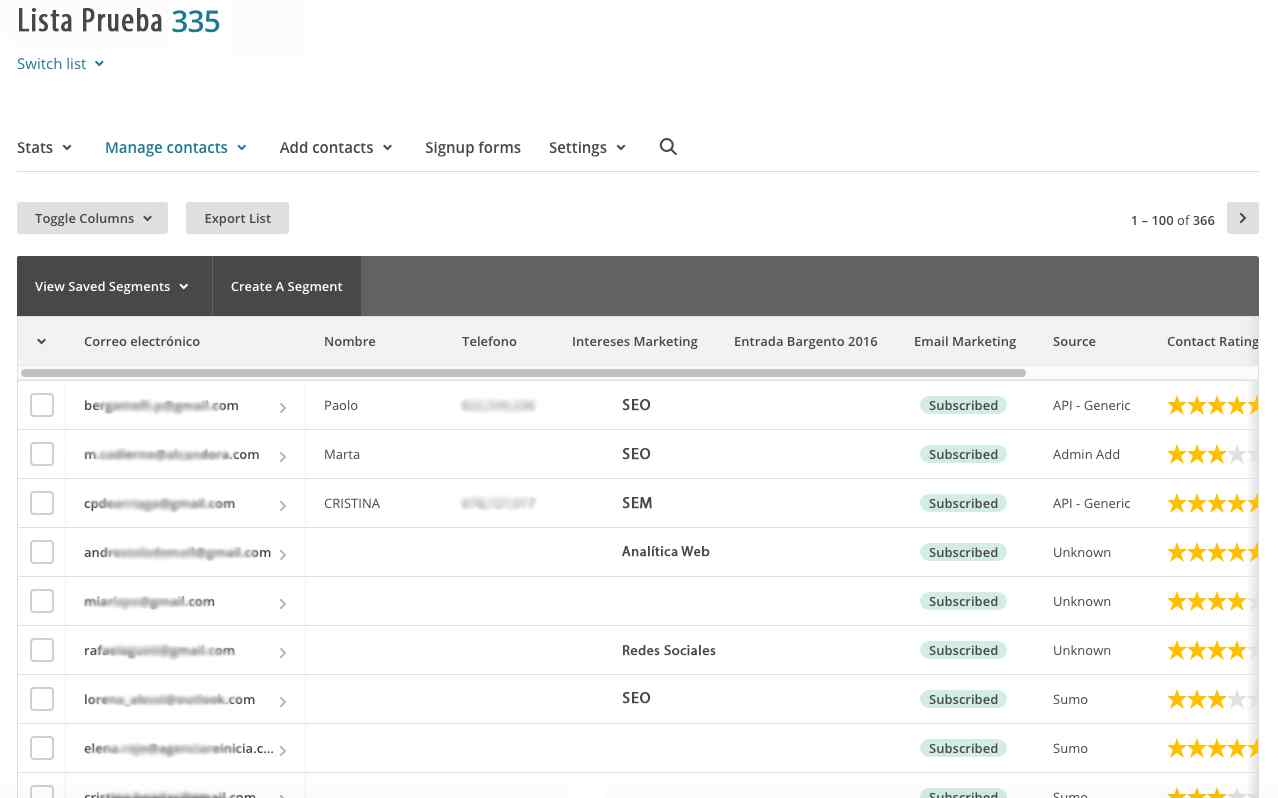
- User registration. There are several options for adding contacts to a list:
- Subscription web form: The tool provides a code to insert a subscription form in the newsletter or on the web page where you want to collect the data.
- Manually: Upload one at a time to each of your subscribers.
- Massive import: Massive upload from Excel, CSV or other file type, multiple subscribers with their corresponding data.
Segments
Once the list has been created, it is advisable to differentiate the origin of the emails in your database, as this will allow you to carry out segmented campaigns with better open rates.
The segmentation tool allows you to specify up to five criteria to group your subscribers into subsets without moving them from the list they belong to. This will be used to send campaigns to a specific set of users who meet certain criteria. For example, they live in a certain province and have requested a specific service. It also allows you to choose whether the segment is static (it is extracted once and saved) or whether it will be automatically updated with new subscribers or other updates that take place in the list for which the segment is configured. Any segment created can be saved for future use.
[registro titulo=”Regístrate a nuestra newsletter y descargarte gratis nuestra guía de conceptos de e-mail marketing automation” url=”https://www.agenciareinicia.com/descarga-de-guia-conceptos-marketing-automation/” texto_boton=”Me registro” imagen=”https://www.agenciareinicia.com/wp-content/uploads/2019/07/Mailchimp_Logo-Vertical_Black.png”]
Groups
Groups are a way to sort subscribers, within a list, by interests or preferences. They are like additional fields to the standard 30 that will allow us to store more information about the contacts in our list. We will have a limit of 60 groups. A group consists of a group category and group names. For example, if the group category is “Marketing Interests”, the names of each group can be “SEO”, “SEM”, “Web Analytics”.
By defining certain groups in MailChimp, we can ask users to choose which groups they want to belong to (at the time of subscription) or add them ourselves.
What utilities does a group have with respect to a segment?
The groups, being additional information of the contacts, will allow us to make additional segmentations, that is to say, we will be able to make segments both by the information of the normal fields and by the information contained in the groups. If you ask companies to subscribe to the sector to which they belong, you will be able to organize campaigns based on this parameter. This information will not be available when creating segments.
Segments are a bit more superficial. You can create and delete segments as you wish, since it will not affect the subscribers in the list, something that happens when you delete a group, since it is associated with a specific field in the list. Note that Mailchimp does not delete subscribers from your list, but it does delete subscribers from groups and groups in your account.
The groups will allow us to make multiple selections within a field when segmenting.
When your database starts to grow, it is a good time to start classifying your subscribers in order not to lose effectiveness. Segments and groups are a very effective way to manage email marketing campaigns with Mailchimp.
It is important to think carefully about our objectives with e-mail marketing before starting to work with this powerful tool. In this way, we will be able to define them well:
- How many lists do I need?
- What information do we really need to carry out e-mail marketing? Sometimes, we enter fields that we do not use to send mailings.
- Which information should go in fields and which in groups?
