Many of you may be wondering how to improve the search engine optimization of your website. Well, in this article we are going to try that, through the installation of some plugins for your WordPress, you can improve your visits by improving the indexing of your content in the major search engines. But first of all:
What is a WordPress Plugin and what is it for?
Plugins are like small programs (pieces of code) that are installed in WordPress to help or improve the functionality of our website. That is, once we install our WordPress for the first time, it comes with default features, but we may want our website to have a registration form to our Newsletter, and that this is synchronized with an external database, or that sitemaps of web pages, images and videos of our site are generated automatically and communicate it to Google through our Webmaster tools account; well, if this is not included in our WordPress initially, we will have to install plugins to cover these functions that we want our page to have.
Having explained this, here is a list of the fourteen best plugins to optimize search engine performance for your website, according to our criteria, of course.
14 SEO plugins for WordPress:
1. Yoast: WordPress SEO Plugin
This is a very complete plugin that covers several functions. Some of its main benefits in order to improve the SEO functionalities for our WordPress are:
- Possibility to optimize pages and blog posts with respect to the main On-page SEO factors. It has a very simple and easy to use interface divided into different tabs.[See photo below] [See photo below
- You have the possibility to write the Titles and Goals according to the patterns you need for the whole site from the same panel. An example could be: pattern (Name of the page + Name of your website), so, if your website is dedicated for example to financial services, the pages of the Financial Consulting category could be, Title: Actuarial Operations – Q Financial Services. Being “Q” the name of the company, and “Q financial services” the name we have given to the website. The same can be done in the case of the Metadescriptions.
- It gives you the ability to generate your own sitemaps and communicate with your Webmaster tools account to notify Google, Bing and Yandex of updates.
- Modifications regarding your website’s internal links or breadcrumbs.
- Possibility of integration and configuration with your social networks.
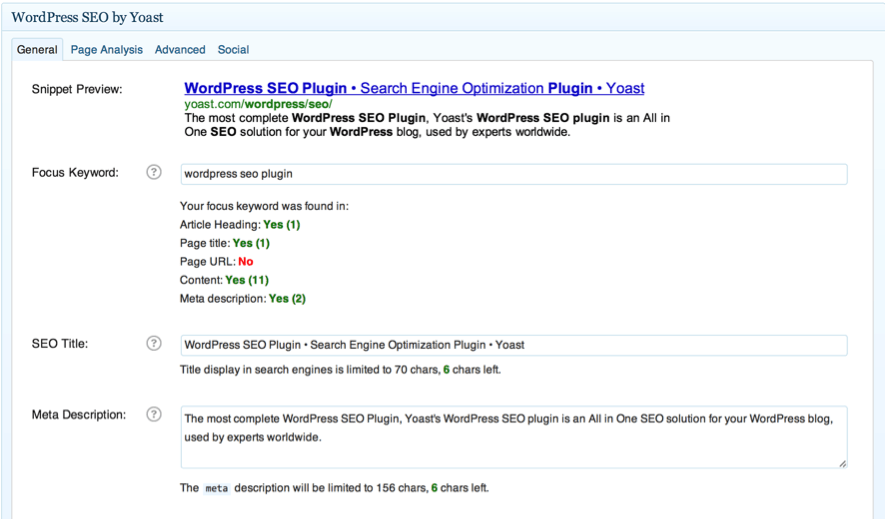
If you want more details about this great plugin, you can read our article about it: WordPress SEO by Yoast. How to configure it.
Download Yoast WordPress SEO Plugin
Google XML Sitemap
This plugin makes it easy for you to generate the sitemap so that Google can index all the pages of your website.
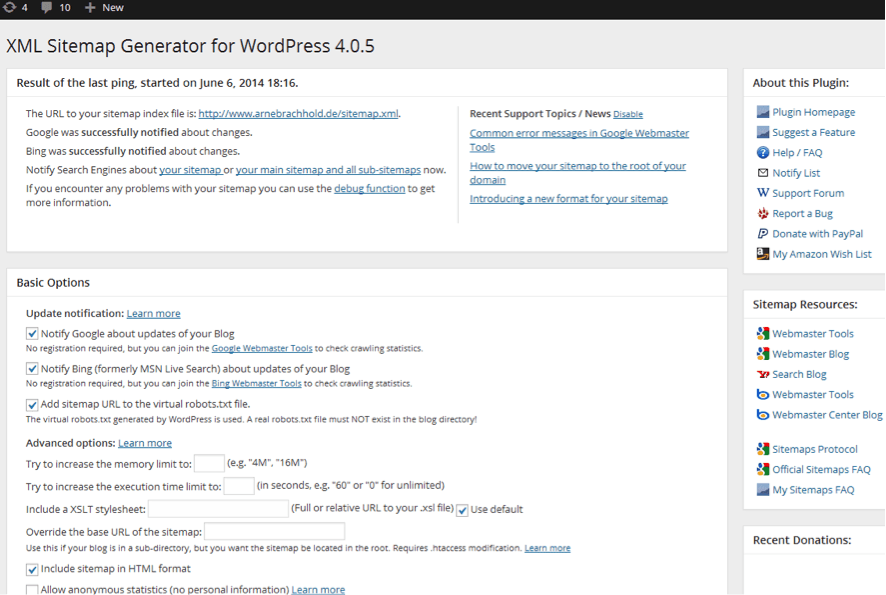
In addition, to complete the information for search engines, it is convenient to implement two other plugins that will generate sitemaps for the images and videos of your website. They are:
Google XML Sitemap for Images
With this Plugin you will be able to generate the sitemap for all the images on your website, and thus inform Google and Bing of the status of them. This is important, because a part of the traffic to websites, and user searches come from Google’s image search engine.
Download Google XML Sitemap for Images
Google Video Sitemap Feed With Multisite Support
With this Plugin you can generate the sitemap of your videos embedded in your website from Youtube, Vimeo or Dailymotion channels. It is very easy to use and has a quick configuration. The good thing about this plugin is that it can be used in WordPress multisite, so it will generate in the sitemap the videos of all the integrated websites of your WordPress multisite. It even automatically informs Google and Bing when we update a page with a new video.
Download Google Video Sitemap Feed With Multisite Support
Google XML Sitemap for Mobile
If you have a unique architecture for mobile devices, this plugin can help you, by generating the sitemap, to inform search engines of this architecture.
Download Google XML Sitemap for Mobile
WP Sitemap Page
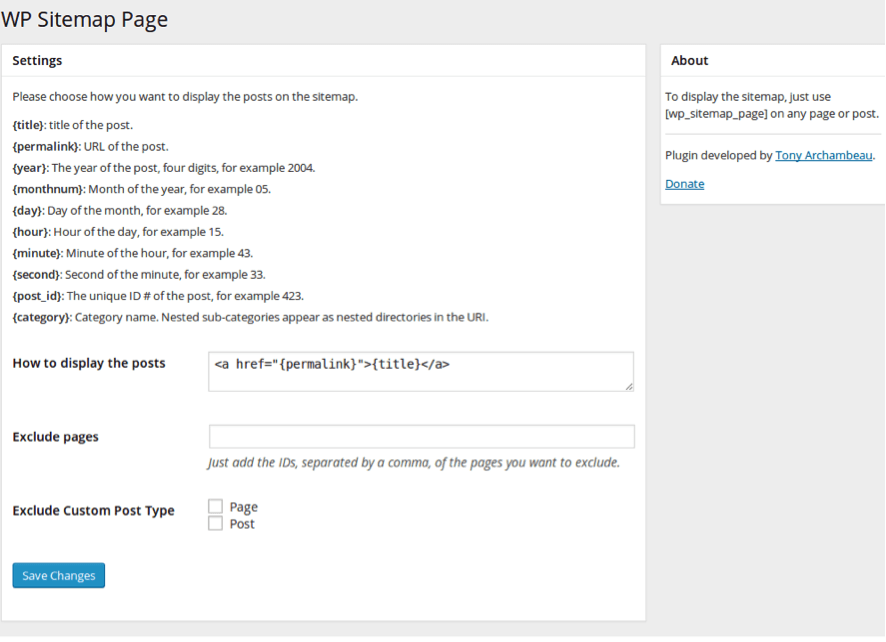
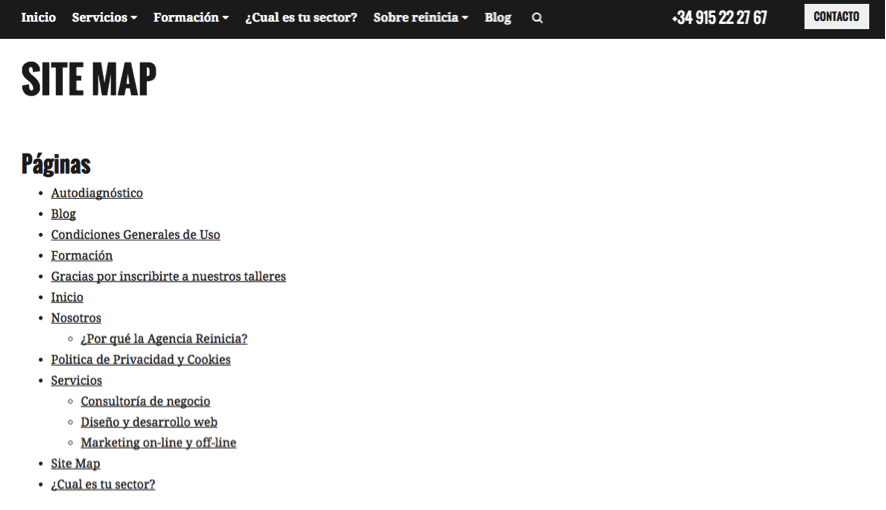
This plugin will allow you to create the Html Web Map of your site so that you can include it and, in this way, the robots that visit your website can crawl in a better way all the content of it. It is very simple to use, you only have to insert a short-code of the type: “wp_sitemap_page” in any of your pages to display your sitemap. We will have to add a link in the footer of our site or in our side navigation so that the robots have access to this page and can crawl and index our entire website. This plugin allows you to exclude pages or entries that you do not want to be displayed. It is available in different languages and customizable, as we will have access to the CSS of the same.
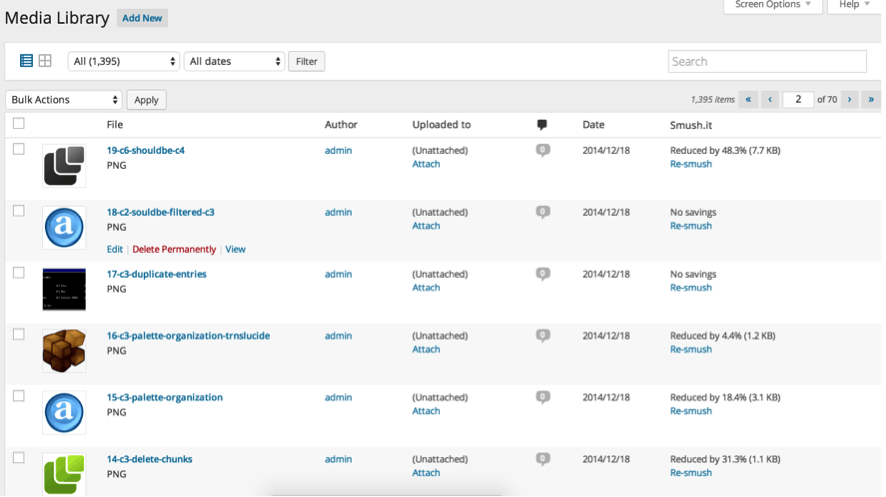
4. Smush it
It is very useful to reduce the loading speed produced by the excess weight of our images. With it we will be able to compress the weight of the same ones without losing quality and to improve in this aspect. Simple, fast and effective.
5. SEO Friendly Images
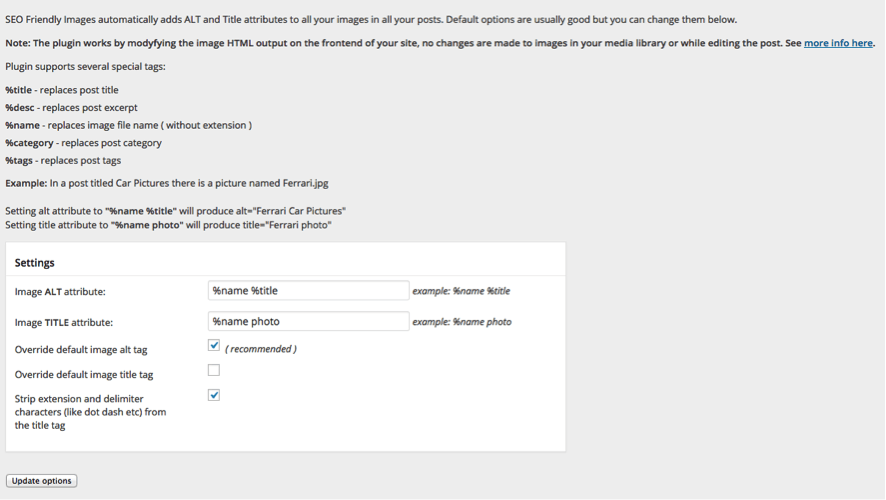
Search engine robots are not yet trained to read images. The easiest way to tell them what they are seeing is through the ALT attribute that we include in the images. SEO Friendly Images is a plugin that automatically updates all images with ALT and TITLE taking them dynamically from the title of the page or the entry that we have given.
6. Google Analytics by Yoast
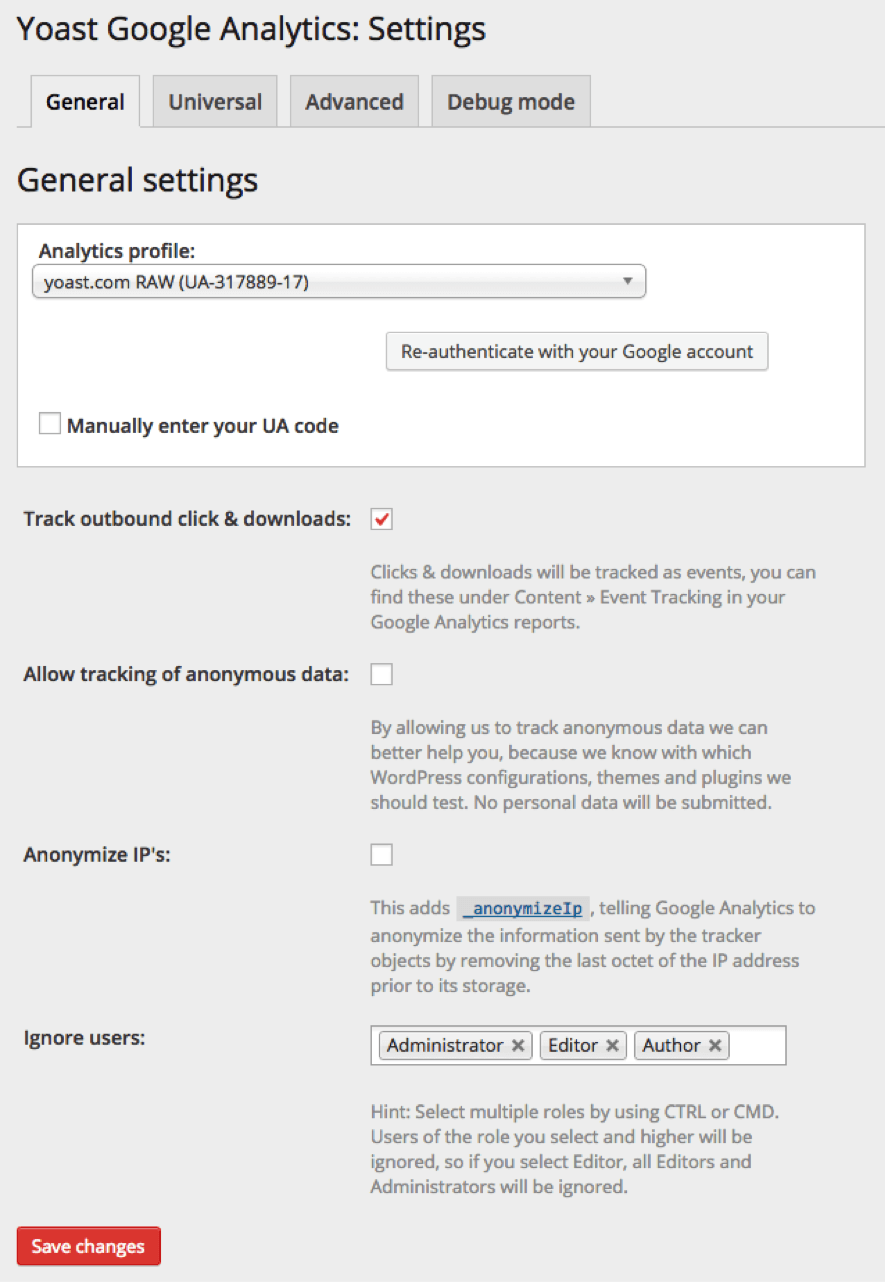
Surely you know them, but just in case we remind you: It’s no use doing the best SEO in the world on your site, if you are not able to measure the results. Therefore, implementing a web analytics program like Google Analytics is essential. This plugin has two versions, one free and one Premium or paid. With it you will be able to track all the statistics of your website through Google Analytics. Obviously you will have to previously have a Google Analytics account created for the plugin to work. It allows you to do things like:
- To know the number of visits you receive and typify them.
- The time the user spends on your website.
- The origin of the visitor.
- The most visited pages of your website.
- The events included in your website or your conversion tracking.
- Age, sex, country.
You will have access to a configuration panel where you will be able to define everything you need in a more practical way.
Download Google Analytics by Yoast
7. Hyper Cache
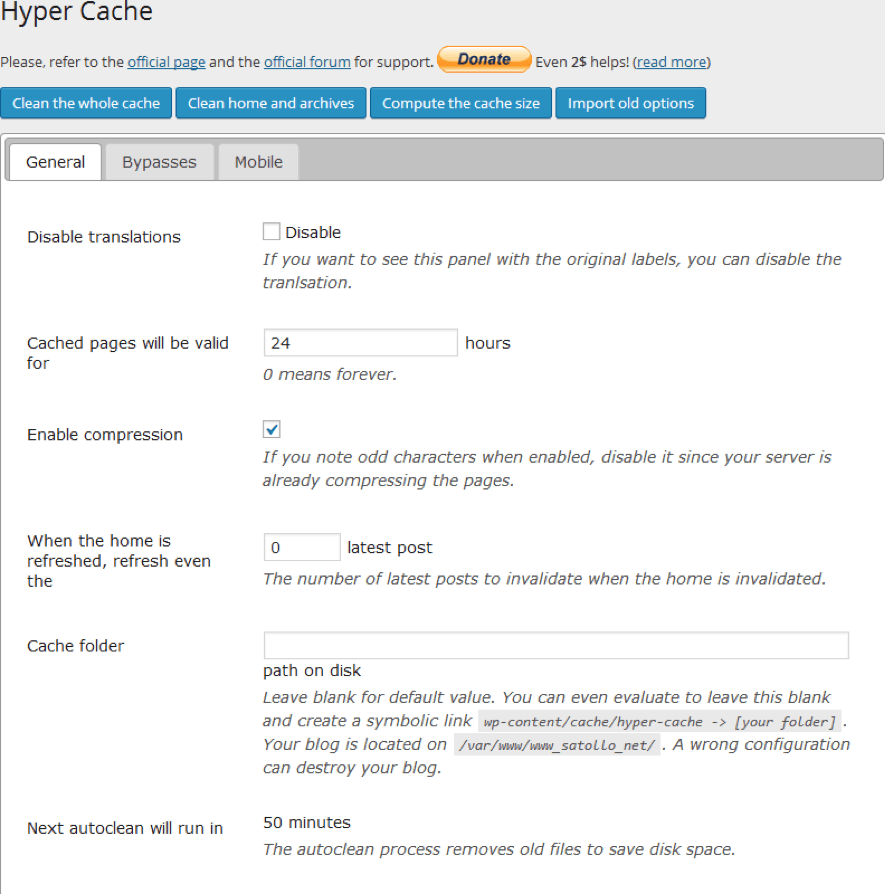
With Hyper Cache, we will gain loading speed of our website, because with it we will store part of the web in cache so that our server does not have to load our site every time a user enters for example from a search result. In this way, we will show the user the “cached” pages so that they do not have to load all the time. Some features of this plugin are:
- Separate mobile and desktop caches.
- Allows you to change the theme in mobile device detection.
- The cache folder can be moved off your site to exclude it from backups.
- Self-cleaning of cache controls used disk space.
8. Google Author Link
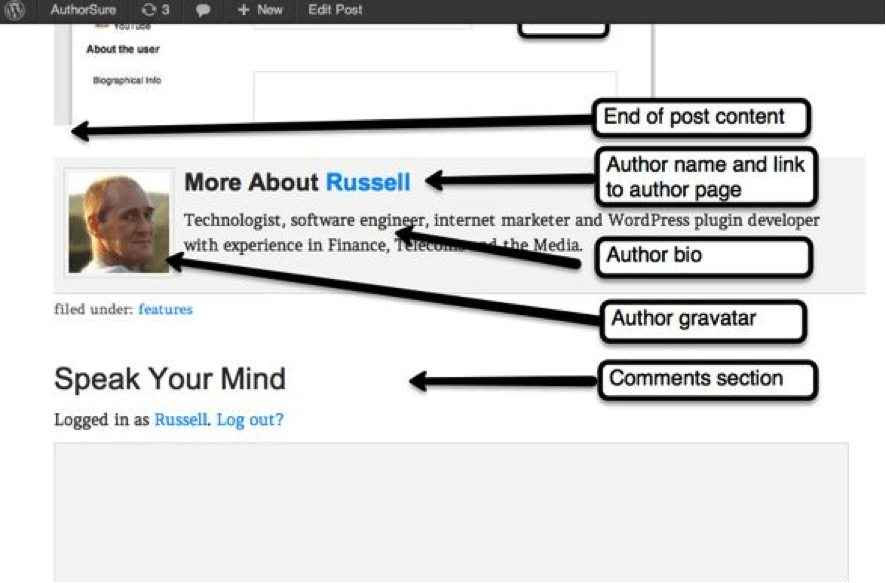
AuthorSure
This plugin complements the previous one and helps to verify the authorship of Google Plus profiles. It includes in the code the attributes rel=”author”, rel=”editor”…etc. It allows you to create links to author profiles not only from Google Plus, but also from Facebook, Twitter, LinkedIn, Pinterest, YouTube and Skype. It also allows you to control whether external links in author bios are rel=nofollow.
9. Redirection
For those who do not know it, the redirections are a resource that allows your users to continue accessing your pages if you modify the routes of the same ones, that is to say, if we have the following URL route: www.dominio.es, and we want to pass all our Web site towards www.dominio.com, with the redirections, those users that, for example continue putting our old pages (www.dominio.es/servicios), will not appear an error page to them, but it will appear to them, carrying out the pertinent redirections, www.dominio.com/servicios.
This is a very useful plugin if you are not a developer / programmer or if you do not know how to manage the .htaccess file to configure the redirections of your URLs. With Redirection for Worpress you will be able to configure your redirects in an easy way. You have an uncomplicated panel where you can put your old url and the new one to where you want to make your redirects.

10. WP Customer Reviews
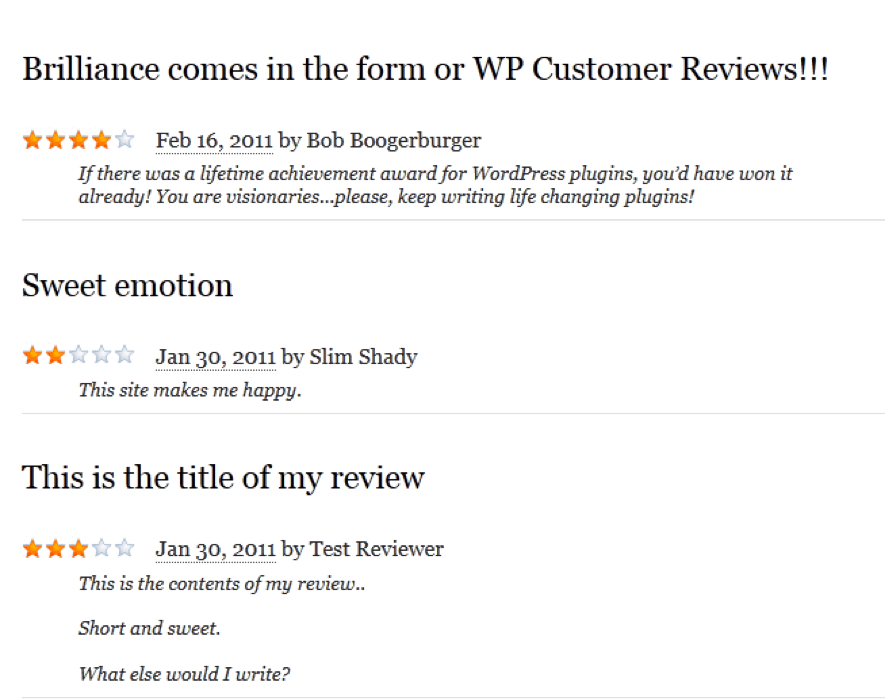
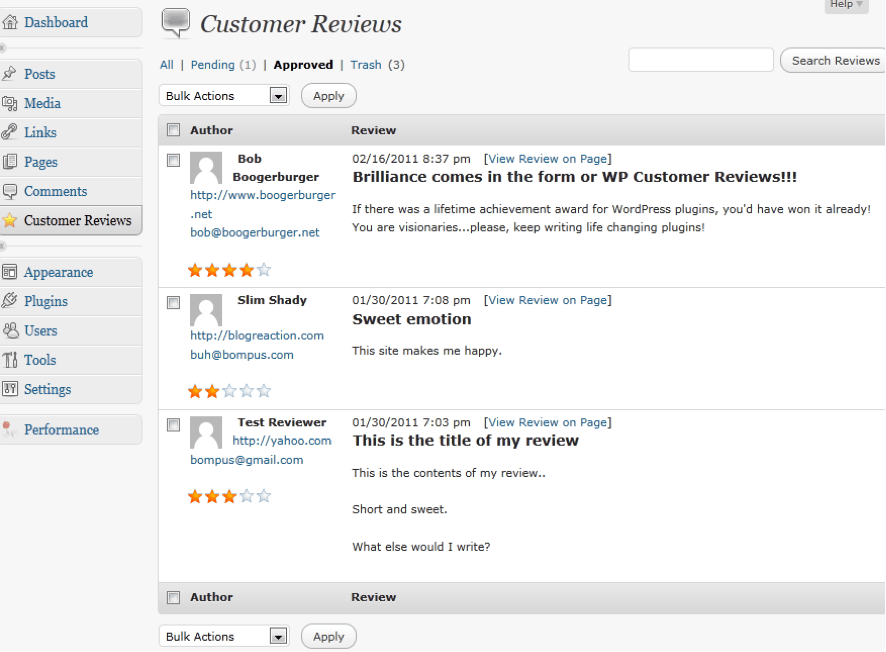
With it you will have the possibility that your users can leave opinions / ratings about your services and / or products. This will improve the weight of your pages in search engine results, improving your SEO. In addition, you will be able to manage these comments, which will also serve as a decision lever for those users who still have doubts about your products and/or services so that they end up buying them, which will improve the average conversion rates of your website.
11. Contextual Related Posts
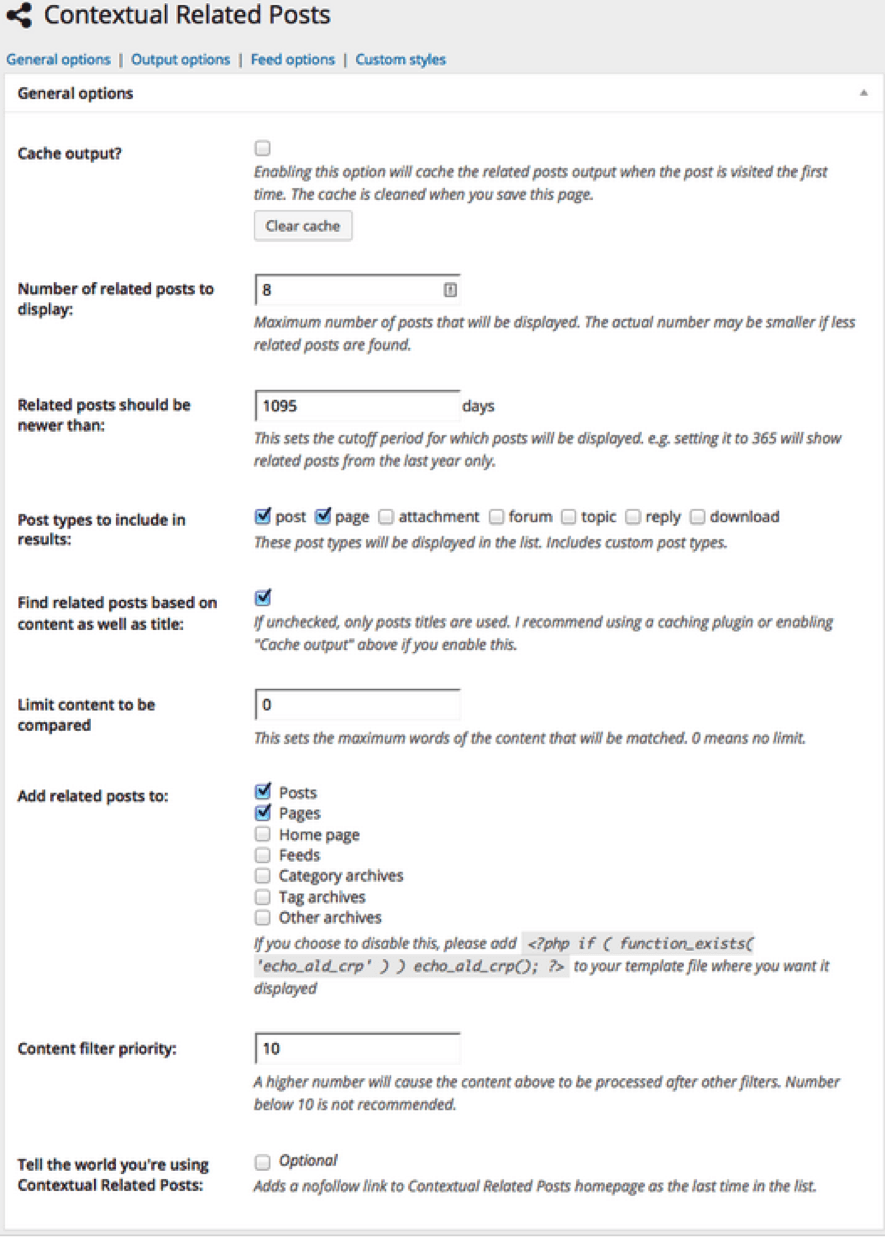
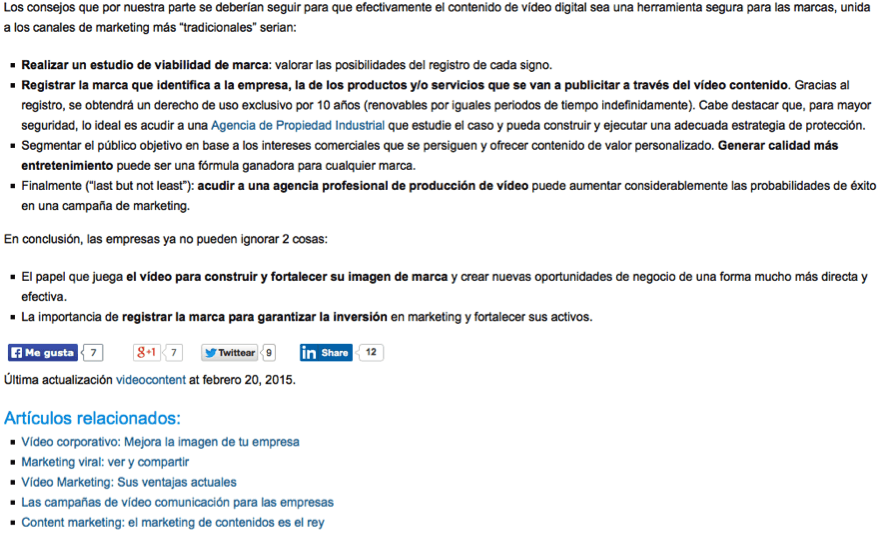
It will show you a list of links to related articles within your posts. With this you can improve the indexability of your articles, thanks to the internal link-building, and also the usability for those users who are interested in finding more information about the topics of your articles. It works by displaying the list of articles based on the article titles and the body of the articles.
Download Contextual Related Posts
12. NextGEN Facebook – Advanced Social SEO for Facebook, Google+, Pinterest, Twitter & More
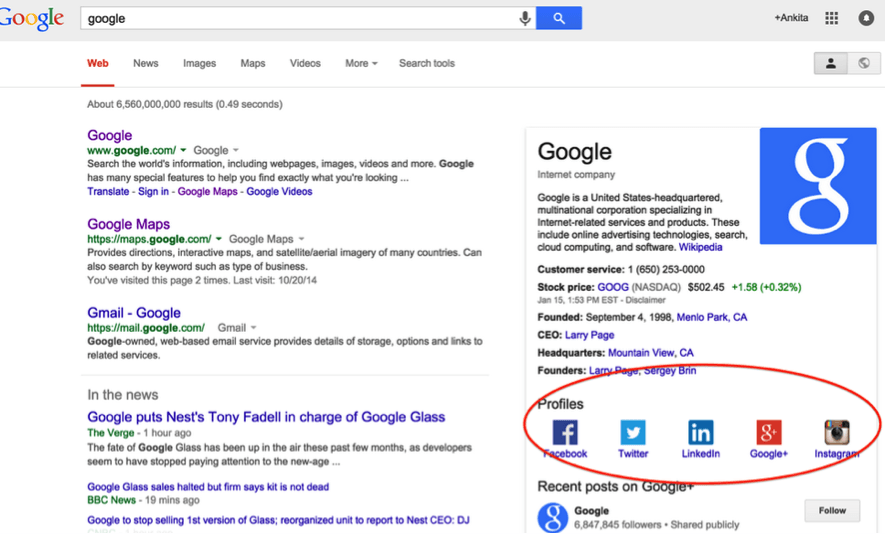
Ideal for making your content more viral and getting mentions of your page on social networks, which can help your search engine rankings. With NextGEN, you will be able to insert the buttons to share your articles and pages from the main social networks: Facebook, Google+, Twitter, Pinterest, LinkedIn, StumbleUpon, Tumblr and many more. In addition, with this plugin you can improve your CTR by displaying your social profiles in the search results of the major search engines.

Download NextGEN Facebook – Advanced Social SEO for Facebook, Google+, Pinterest, Twitter & More
13. Memory Viewer
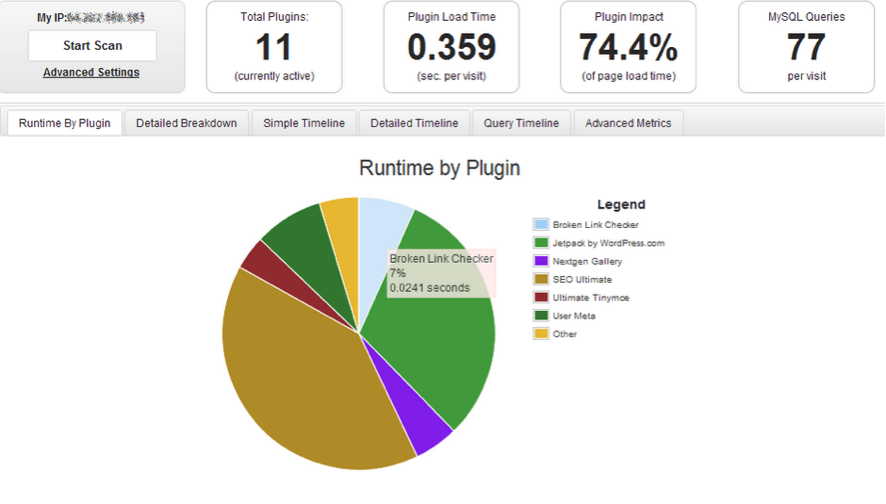
It allows you to see how many resources and memory are consuming the plugins you have installed and using in your WordPress, and to be able to close in real time each plugin to see its response time. It is very useful to know which are those plugins that may be slowing down the loading of our website and as you know, the response time of your pages matters to Google and the rest of the search engines.
14. Google Page Speed Insights
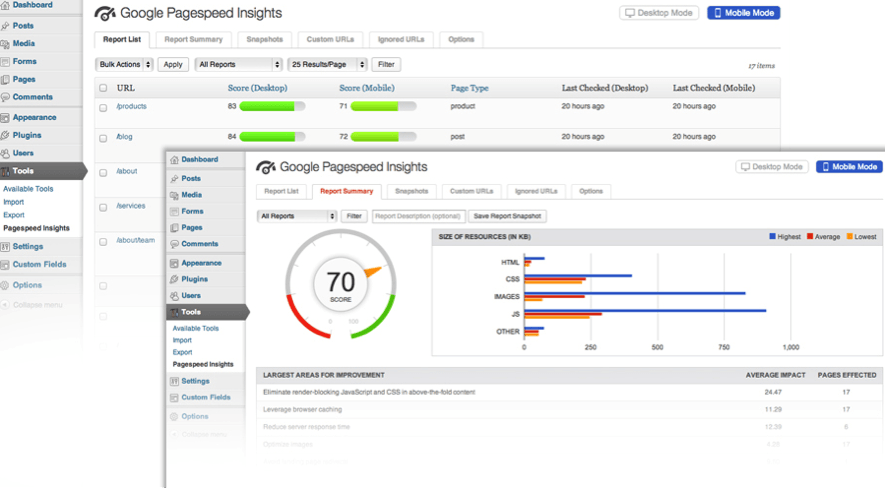
Google PageSpeed Insights is a Google tool that allows you to see and make decisions about issues that are slowing down your website. This tool will give you recommendations on best practices to fix those problems.
With this plugin you will be able to integrate the Google tool into your own WordPress for closer monitoring.
Download Google Page Speed Insights


