As you may know, Google My Business is Google’s service to give greater visibility to local businesses. It is the fusion between the old Google Places and Google Plus pages, thus offering services similar to those offered by companies such as Yelp or Foursquare [focused on providing relevant information about local businesses]. If you want to know more about Google My Business, you can read our article: Google My Business: what is it and how does it work?
We have two options when creating our Google My Business pages:
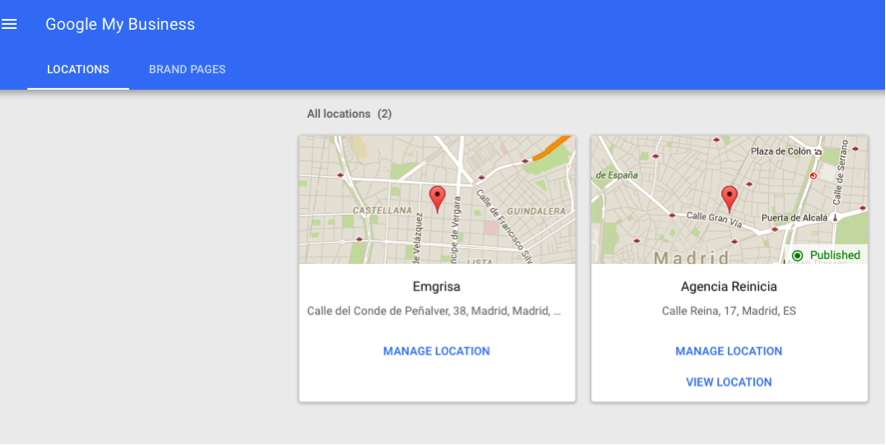
- Local pages: we will create pages for each of our local businesses, stores, or different locations that we may have throughout the regional, national or international geography.
- Brand Page: in this page we will include the general information of our brand.
How to optimize your Google My Business listing
The first thing we have to know is that once we have created our Google My Business profile, we have two possibilities when creating Google My Business pages:
-
- Local pages: those that serve to add information about your local businesses on Google Maps, i.e., to notify Google of data such as location, opening and closing hours, telephone number, city, country, etc. so that it appears as a search result on Google Maps, Google and Google +.
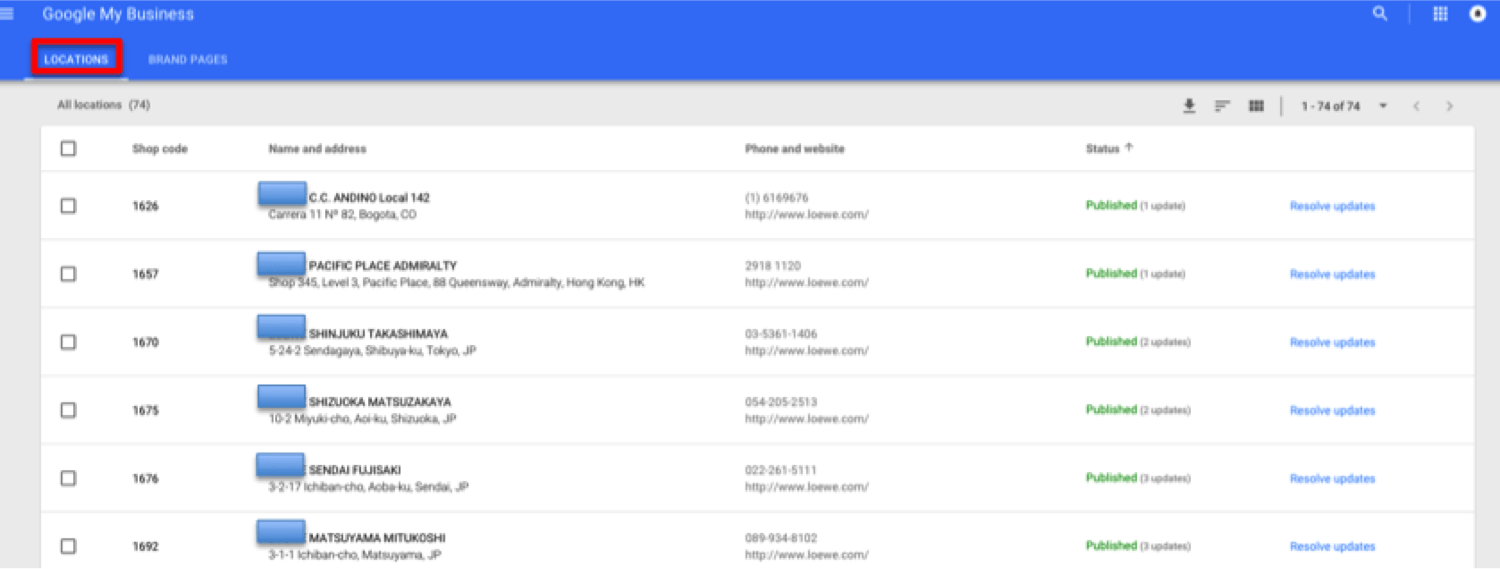
- Brand pages: these are pages in which you can include brand information such as phone number, what your company is decided, links to your company’s social profiles, Google My business communities in which your company posts, videos, your posts, photos, and user reviews …. all this minus being able to share your locations on Google Maps.
Brands, organizations, artists and other groups or individuals can create Google+ brand pages to reach their followers, fans and customers through Google.
Brand, organization and artist pages do not include the address or any other physical location information that appears on Google Maps, but you can manage them from Google My Business.
Before My Business appeared, one of the best SEO strategies was to complement the Places listing with a Google Plus listing. It was also recommended to include a large number of categories, using previously selected and analyzed keywords. Some of these strategies have changed, so we will now explain what you should do to improve your local SEO with Google My Business.
Google tells us about 4 micro-ments that fit the type of local search that most users perform:
1- People who are researching, exploring or looking for inspiration.
2- People who are looking for a local business for a product or service.
3- People who are looking for help to do something. It can be before or after the purchase.
4- People who already know what they are going to buy, but have doubts about what or how.
Local SEO with Google My Business
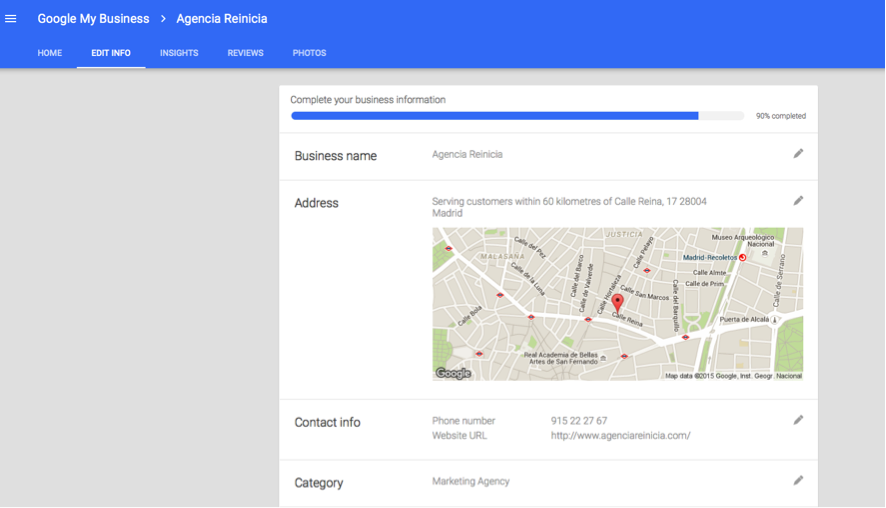
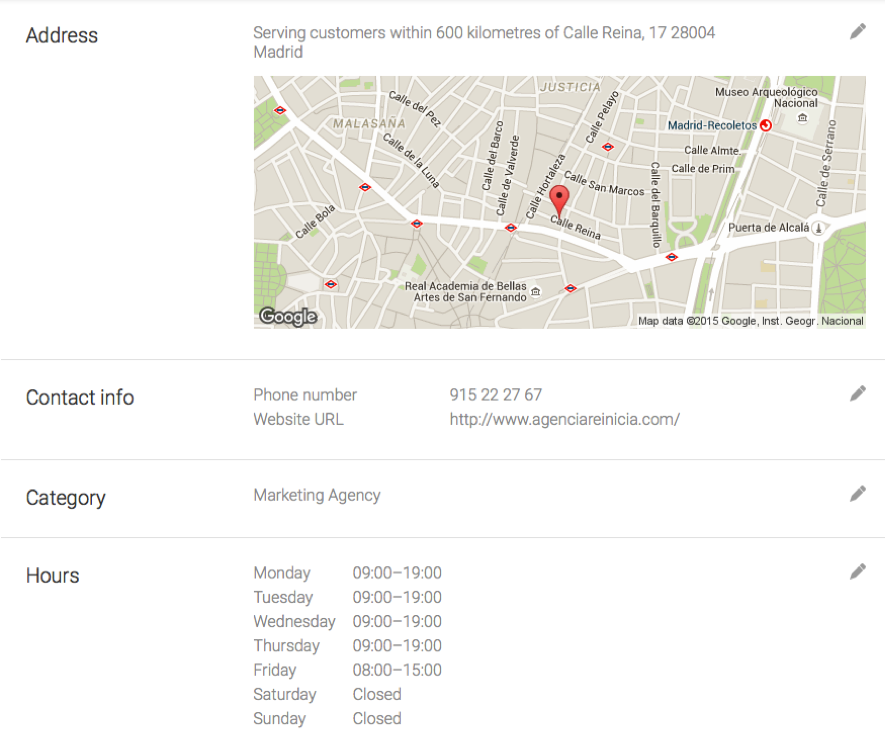
To begin with, the first thing we must do is to complete our Google My Business listing correctly. By this we mean that you should take the time to fill in all the fields so that the profile adapts as closely as possible to what your company offers or performs:
A very important aspect is the linking of your profile with your website and the verification of your business on Google Maps. You have several options for verification:
- Verification through Webmaster Tools: in this case, if the Google account with which your Google My Business and Webmaster Tools profile was created is the same, the verification is automatic.
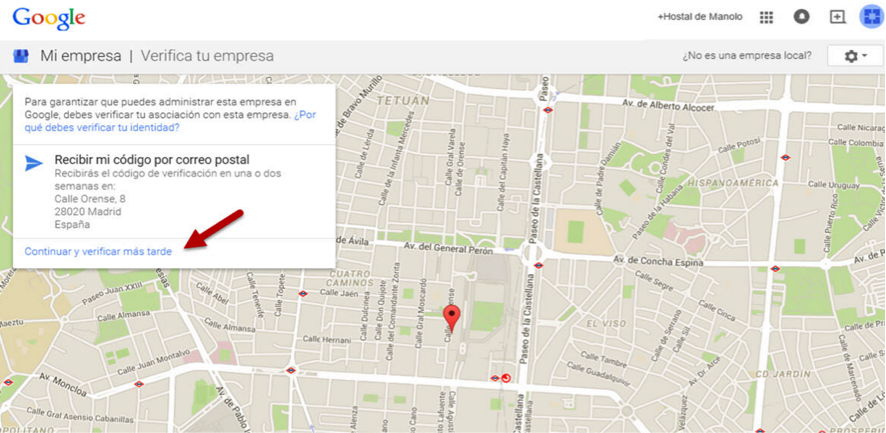
- By post: Google sends you a postcard with a code that you will have to enter in your profile in order to verify it:

- By phone: In this case, Google contacts us by phone at the business number we have provided. This option is not always possible. We can contact Google support to request this option if the other options have not worked for us.
- Bulk verification: If you manage more than ten locations for the same company, you can request a bulk verification. You can see the steps to follow on the Google My Business support page: support.google.com/business/answer/4490296
2. In the title of the file you must include the keyword for which you want to position and that alludes in a generic way to the service of your company. An example could be, if you are a chain of women’s shoe stores, follow the following pattern for each of the tabs of the stores that are part of your business: Zapatería de mujer + Tu Marca + Calle/localización [Zapatería de mujer X calle Reina 17, 28004 de Madrid]. Here is an example:
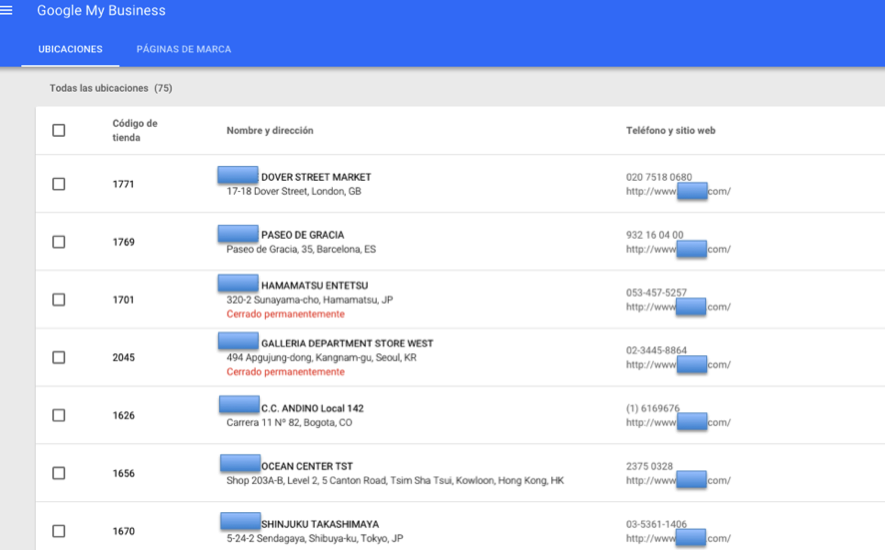
However, we recommend that you read the guidelines for Google My Business addresses: https://support.google.com/business/answer/2853879?hl=es
3. In the descriptions of the descriptions of each of the stores and/or businesses, include those terms that you want to be found by and that describe your company in a general way. If you want the strategy to be efficient, include the same ones you used for the titles.
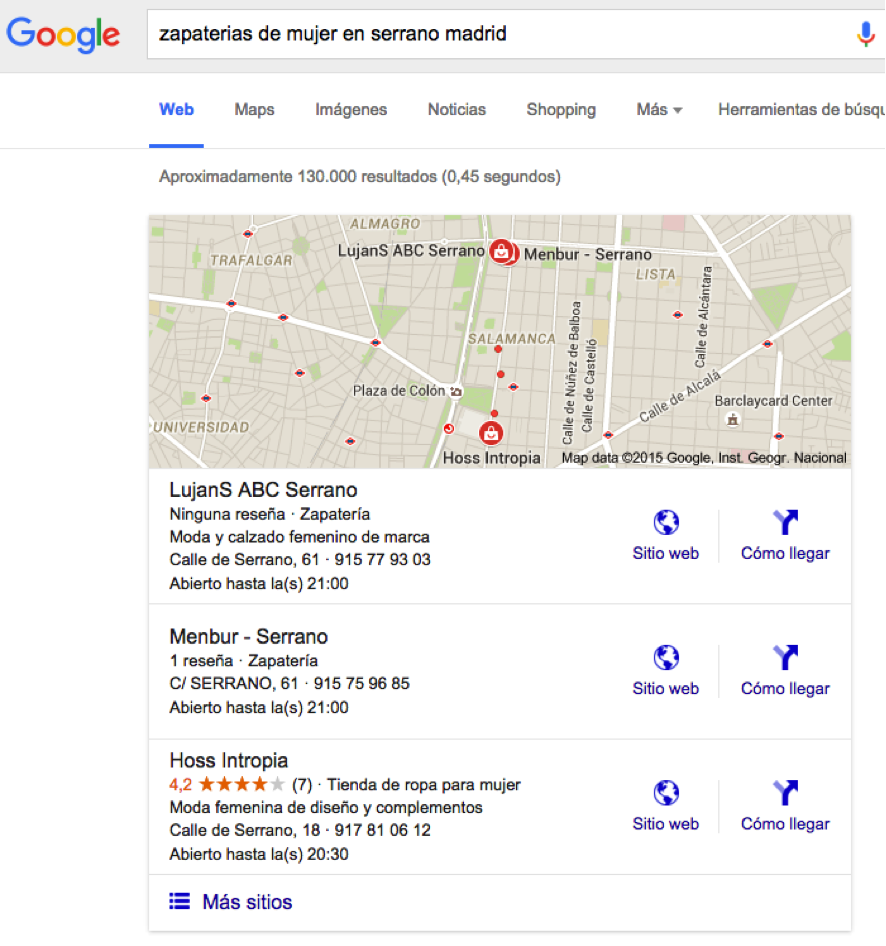
Configure your listings by following these steps and then Google, based on other factors such as the number of reviews and if it considers your listings relevant, will display them as search results for these keywords or related terms.
4. Include photos (10 or more is a relevant number of photos for each profile) optimized for your business: save your images with the keywords you want to rank for, such as: perfumes-of-women-fragrance-50ml.png,
Choose relevant and descriptive photos with the type of business and service you offer, and above all do not forget to choose the logo of your company as your profile picture.
5. Choose an appropriate category related to what your company offers, this way Google will be able to offer your pages to users who are looking for precisely what your company offers. The important thing is that the categories are precise and describe your company well. You can indicate up to 10 different categories according to Google’s default values, but the first one will be considered the main one.
6. Try to get your users to write reviews praising the service of your business, the quality of your products or the speed of delivery of your orders. This will make your profile and business relevant to Google, so it will give you more importance in the search results ranking.
7. Keep your pages alive and active. Update them with new publications, tips, comments on your website and/or blog, information from third parties interesting for your users, share, participate in other groups and/or communities, increase interactions with your followers…etc.
8. Something that Google also appreciates is that there is concordance / correlation between the information we have in our Google My Business profile and the one that can be seen on our website or other pages where we have put local information of our business (for example business directories such as 11870 and / or Yellow Pages), as it gives veracity to the profile data.
9. Make sure that the location of your company on the map is correct so that users can easily find you. You can drag the marker on the map to the exact location of your company.
10. List your company’s official and authorized website on the Google+ Local page, as Google uses website information to help improve search results.
Local optimization of pages on our website
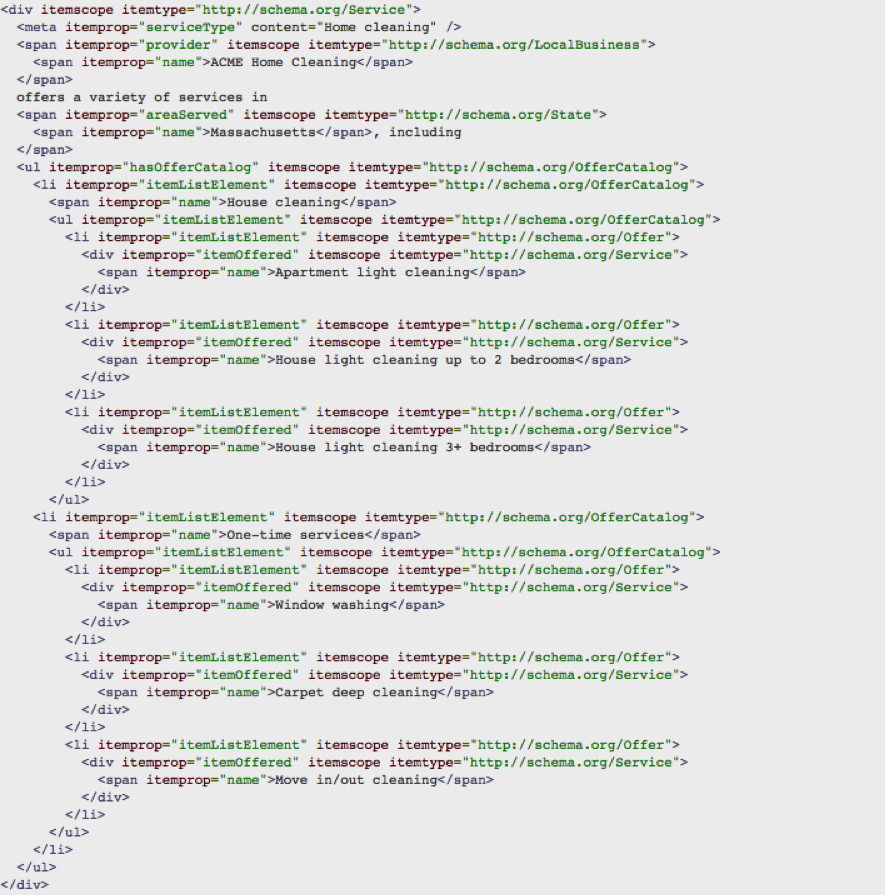
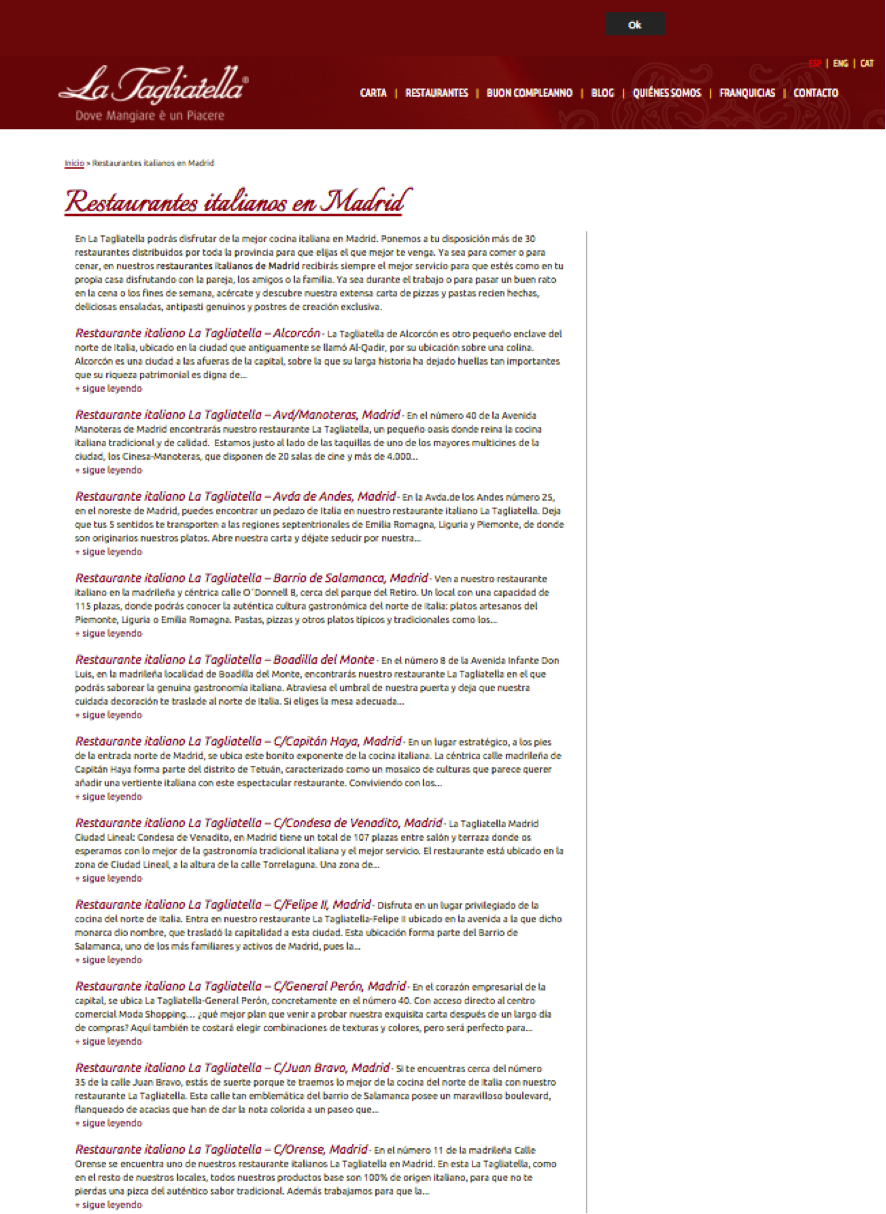
1. The importance of microdataIf we want to give more information to the search engine, and we have local businesses, one way to do it is by tagging information through microdata. For example, one way to tell Google that we have several stores/shops/businesses distributed in different geographical areas can be by creating a content on our website where we have the information of our stores and also tagging this information with the microdata corresponding to local businesses that come in the information on the schema.org page:

2. Add an Alt and title tag with the keywords to be positioned and describing the content of the image: women’s high heel shoes. C) Take care that the size of the images is not excessive, if they are too “heavy” it will damage the loading of the images on the web.
3. It is very important to have a responsive website or one adapted to all types of devices, or one made just for these devices. We say it is important because for some time now searches for information about products and / or services from mobile devices has grown a lot (more and more and especially for certain sectors, such as tourism), so if we want, once we find our target audience, these users correctly find the information they seek, call or contact us and have a good experience on our website, we must be able to offer the information well from any device from which they access. You can find more information about how to optimize your website for mobile devices in our article: Mobile Usability. Top 10 factors to consider
Google Local Carousel
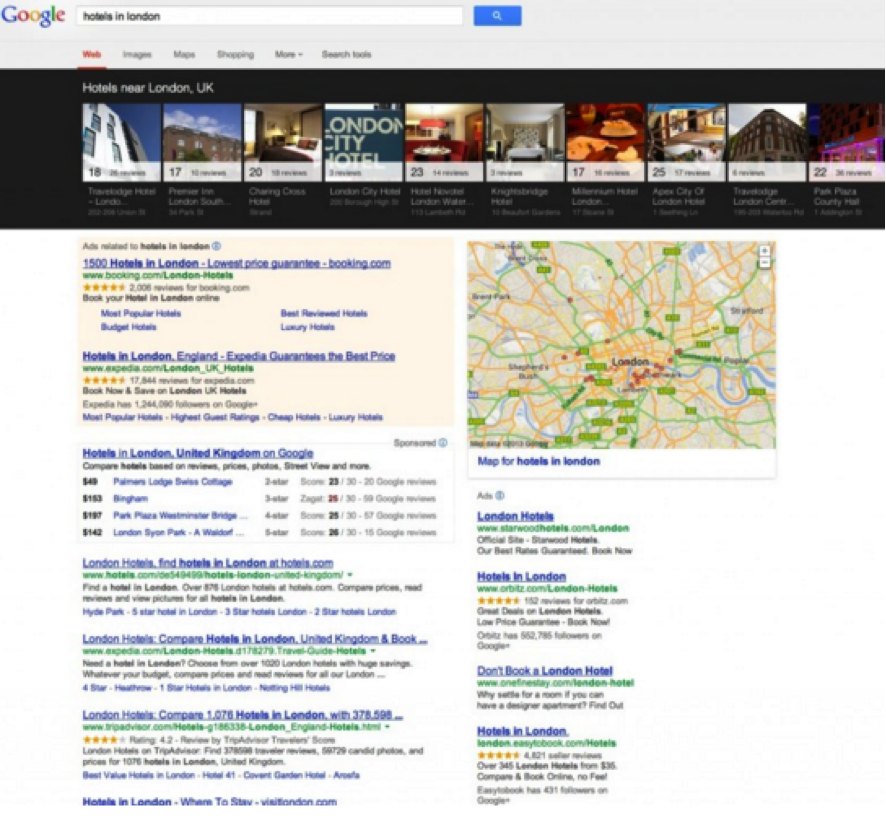
One of the new features presented by Google My Business in the interface was the Local Carousel of business listings. A new way of presenting local stores or businesses that is in line with the famous KnowLedge Graph [database/knowledge base used by Google to offer more complete and accurate search results based on the semantic relationship of users’ searches], and that navigates the results of a local search, such as hotels or restaurants, through a carousel of images that is displayed at the top of the search results page.
In this way we have the possibility to compare results without having to use a new term or to know an alternative to a given local search.
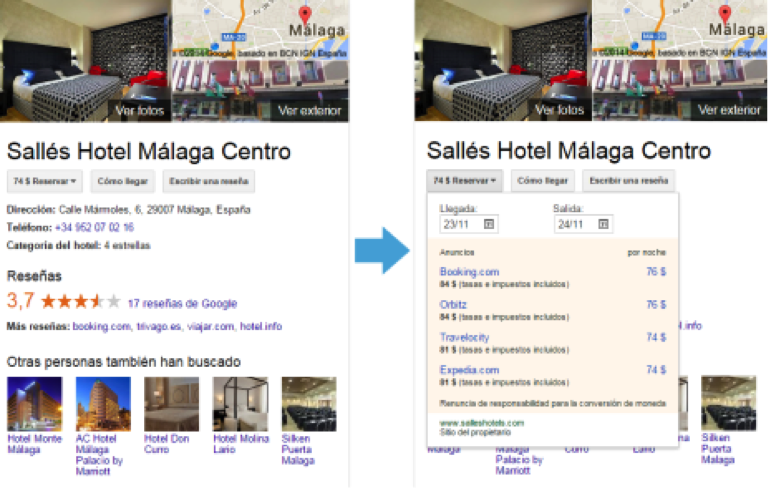
One of the features of the carousel is the possibility that we have when clicking on the images of related searches, to navigate horizontally from these results:
How does Google determine the geographic location by which to display results?
Physical location:
- Through our IP address
- By device location: GPS, Wi-fi or Google Telephony ID location database
2. Locations of interest:
- Terms used in searches that indicate a location.
- Previous searches that have indicated a location of interest.
- Previous physical locations of a user.
- Content and context of a website on which an advertisement has been displayed.
- Search on Google Maps or Google Maps for cell phones.
- Setting a custom location for Google search results.
- The fact that a user uses a country-specific domain, such as google.fr (France).


