A sweepstakes through a survey in EasyPromos has its peculiarities and tricks with respect to the other options for contests offered by this platform. The steps to follow are different and you need another type of material for it, not only the prize. Remember that if you are looking for a step-by-step guide to create your first campaign with EasyPromos you can consult our tutorial.
This time we will focus on this type of promotions. We have already worked with them, so we are going to show you examples of one of our clients: Apartosuites Jardines de Sabatini. In their case, they showed a photograph and a question about it. The winner was chosen from the correct answers. The sweepstakes went further and we prepared a press release to give it greater diffusion and even carried out an action with bloggers that we will tell you more about later.
The objective of this contest was to make the hotel known to potential clients and through multiple channels: social networks, thematic blogs, online media and even “digital word of mouth”, since as a tool to disseminate the sweepstakes and to improve participation in it, participants are encouraged to share it on their profiles and thus be able to enter a second complementary sweepstakes. The sweepstakes was also launched in English, since a large part of its audience is foreign.
The duration of the sweepstakes was 10 days and a total of 777 participants were obtained, of which 510 shared it and entered the second sweepstakes. The English version for participants outside Spain had 150 participants and 110 of them were encouraged to share it.
Steps to create a sweepstakes through a survey in Easypromos
1. First you will need to open an account and access the control panel. The next screen will come up with a green button with the message “Create new promotion”.
2. After clicking on it, you will be able to choose the Facebook page where you want to carry out the sweepstakes, of course, you must be an administrator of the page in question.
3. Different applications such as Sweepstakes, Vote your Favorite, Trivia, etc. will appear . Select Survey from the Premium ones.
4. This application can only be used with the Premium or White Label Plan. Select one and don’t worry, because you won’t be charged anything until you decide to activate the promotion).
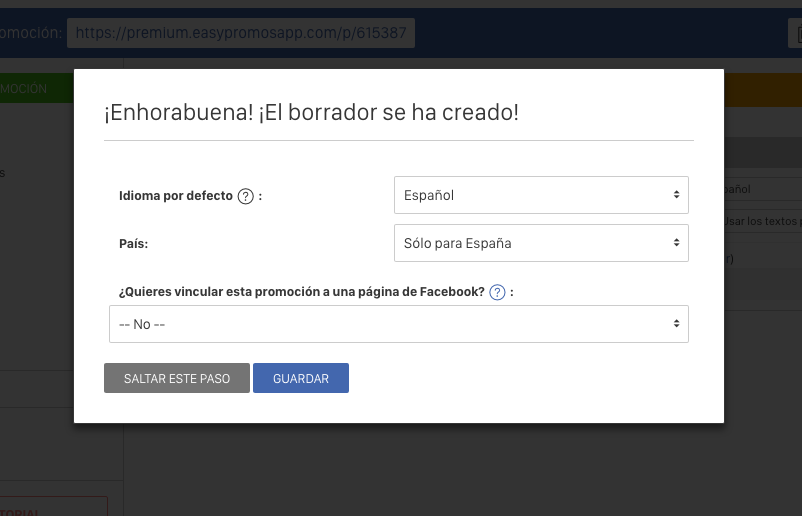
5. Next, a form will ask you for the default language, the country and if you want to link your promotion to a Facebook page. Regarding the country in which the promotion will be active, the temptation on the Internet is to leave the promotion open to the maximum number of participants in order to amplify its impact, but it is best to focus it only on those markets in which we work and take into account aspects such as the logistics costs of delivering the prizes. In addition, the more countries that can participate, the greater the risk of fraudulent and/or low-value entries.
6. The next step takes you to the Survey tab. Here you can give a name to your campaign in the header, you will see the direct link to the promotion, you will have access to the editor, etc. We recommend that you start setting up the sweepstakes and leave the promotion dates until the end, as you may be delayed for any reason. In any case, you can always edit the date.
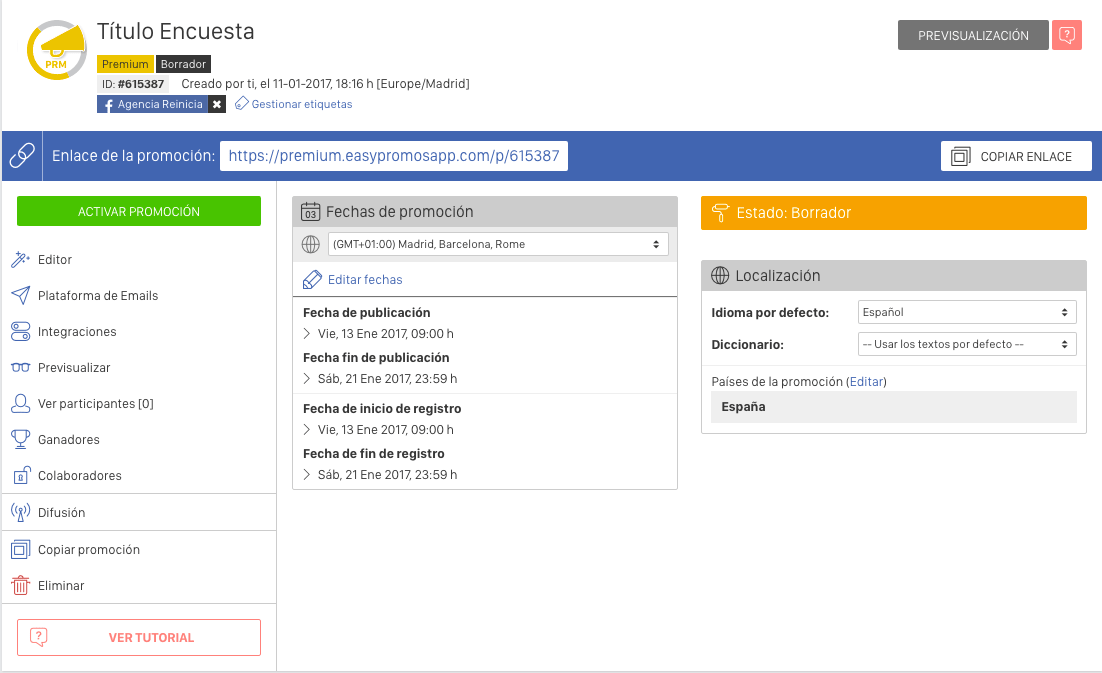
7. In the side menu, we will enter each option to complete the configuration and edition of the sweepstakes. The first option is Editor.
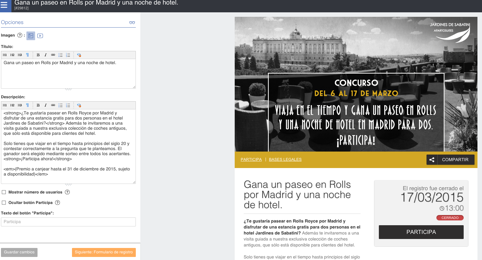
8. Within Editor, you will appear by default on the Home Page. Here you can give a title to the survey and describe what it consists of.
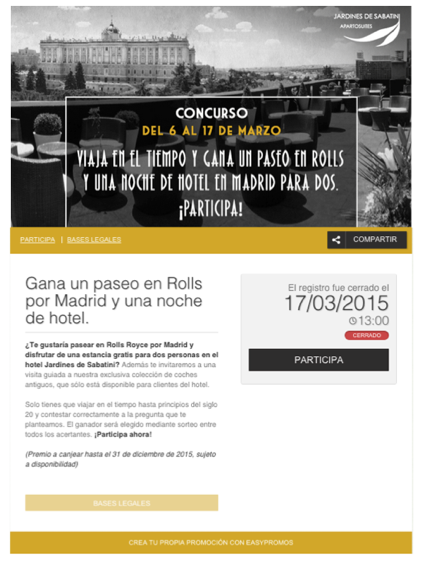
- The title of the contest, in this case “Win a Rolls ride in Madrid and a night in a hotel”, will appear on the first page of the contest, so it will be important that it is attractive and serves as a hook for users. You can choose a funny name or name what you could win if you participate.
- The description of the contest: In this box we will write a brief description of our contest, how it works, the prize that the winner(s) will receive, etc. It is important to attract the attention of the potential participant and explain a little more in detail what it consists of and what the prizes are in order to get the maximum number of participants and that the conditions are clear.
And the result will look something like this:
9. On the left side you can drop down the menu and leave it fixed to be able to navigate between all the tabs. The next option is to complete the Questionnaire that the users will have to answer. With each question a window will open.
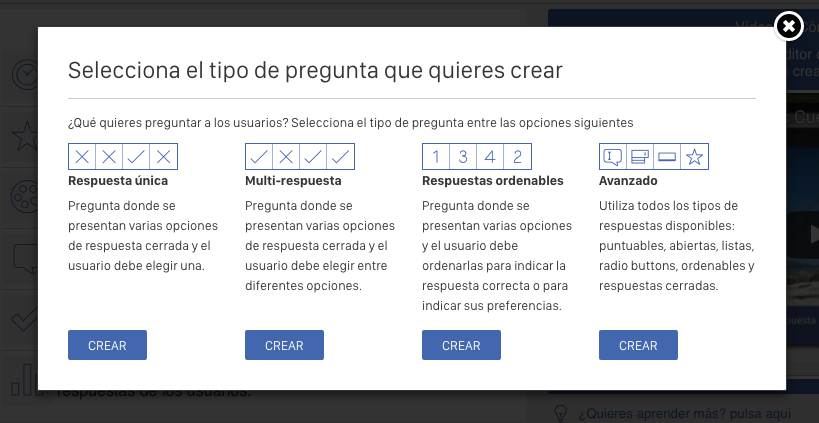
10. In this window we will see 4 answer options:
- Single response: Question where several closed response options are presented and the user must choose one.
- Multi-answer: Question where several closed response options are presented and the user can choose several options at the same time.
- Sortable answers: Question where several options are presented and the user must sort them to indicate the correct answer or to indicate his/her preferences.
- Advanced: Uses all available answer types: scoring, open-ended, lists, radio buttons, sortable and closed answers.
It is important for you to know that the Single Response contains more question types:
- Closed response: Adds a list of options from which the user will have to choose.
- Scorable response: Add graphical icons for users to score items.
- Open response: Add a text field to allow users to write their own response.
- Selectable response: Add a drop-down list or an auto-complete text field for users to choose an option from the list.
11. Choose one of the answers and go to the questionnaire editor. Formulate the question and then type in the possible answers. You will see a feedback text that will be displayed for the right answers and another one for the wrong ones that you can customize. You can also add an image or video to illustrate the campaign.
You can use multiple answer types in the same survey if you choose the Advanced Response option. You just have to think about which answer you need to know which one to choose.
In the case of the campaign we mounted for Jardines de Sabatini, this was the result:
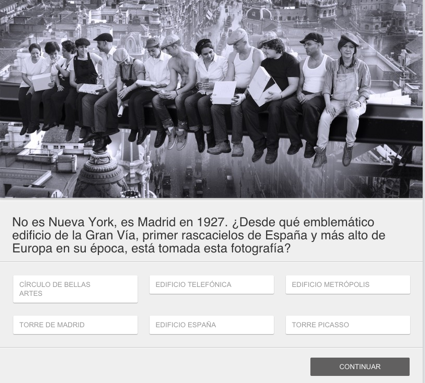
What about the design? The ideal is to have a sweepstakes that matches the colors of your brand, even with the same typographies. You can customize all the aesthetic details within the Editor, in Design: adjust the colors of the buttons, each section, choose the typography, upload background images and in the case of the White Label Plan the customization is almost total thanks to the possibility of introducing CSS styles.

How does it look?
Below we show you all the templates of which this contest is composed and that you can create with the Editor (Questionnaire, Registration Form, Thank You Page, etc.):
SCREEN 1 : promotion cover
SCREEN 2: the question
As we have shown you before, we chose the Single Closed Response.
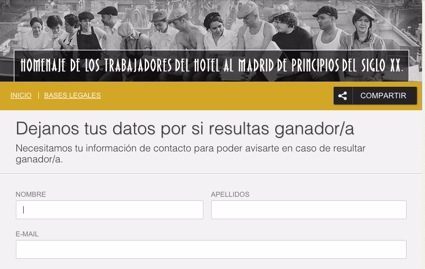
SCREEN 3: contact form
Here you will have to decide what information you are interested in from the participants, either for future promotions, to control participations or for logistical issues of prize delivery. To make the most of the contest, we included a checkbox where people could indicate if they wanted to be included in the Newsletter. We recommend that this is optional and not mandatory, because in the end, one of the reasons why e-mail marketing works so well is because people give us permission. From experience, you should get more than 50% of the participants to give you permission on a voluntary basis – a success!
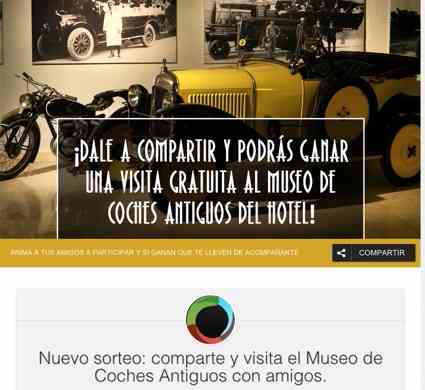
SCREEN 4: Acknowledgment + Second Drawing
In this campaign we wanted to achieve the maximum possible diffusion, so this sweepstakes was followed by a second one. Participants were given the chance to win a visit to the hotel’s Antique Car Museum by sharing this contest.
You can do it from the Editor, under Viral Content.
Back to the Tab
Easypromos is getting more and more advanced in the configuration of sweepstakes and makes everything easy. You will find several options:
Email Platform
Allows to automate the sending of e-mails to participants. It is very useful to set up emails to confirm to Users that their participation has been successful. In this way, we will multiply the number of impacts and we can take advantage of the opportunity to send more information and indicate other actions, such as following us on other social networks or sharing the promotion in case they have not already done so, or visiting our catalog or subscribing to a points program. This will help amplify the results of our promotional campaign.
Integrations
From this option we can connect our promotion with the tools we prefer, such as: Mailchimp, Dropbox, Google Analytics, Instagram, etc. In our case we select Google Analytics. You will be asked for the UA code that you must insert so that our promotion connects correctly with the Google tool. It is essential to do this, because you know that if we do not measure, we can not improve and that is one of the key aspects of digital marketing.
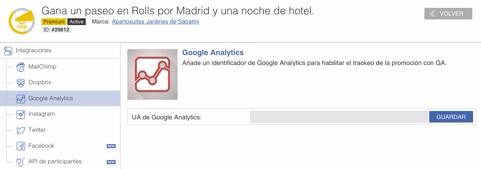
Integration with Mailchimp is also particularly useful, so that you can automatically synchronize the participants’ data with your E-mail Marketing account and thus strengthen your database. However, as we have indicated above, we recommend that you ask the participants if they want to be part of your Newsletter, because otherwise you would be carrying out a “bad practice” as far as E-mail Marketing is concerned and you would certainly be lowering the quality of your database.
Preview
From this option we will be able to see an exact preview of each of the sections of which our promotion is composed.
See Participants
In the view participants category you can view the users who are participating along with their data (name, surname, C.P., email, etc.). This information can be downloaded either in CSV/Excel or CSV/Excel with encryption.
Statistics
From this box we will be able to visualize and analyze a series of data that can be very useful to know how the promotion is performing in real time, which will allow us to carry out corrective or strengthening actions.
Winners
The tool will then show us a table with all the participants. Subsequently, to define our winner we can use a filter establishing the criteria that we have specified in the rules of our contest, such as having chosen the correct answer from among those offered. Once we have chosen the winner, the platform gives us the possibility to publish it on Facebook.
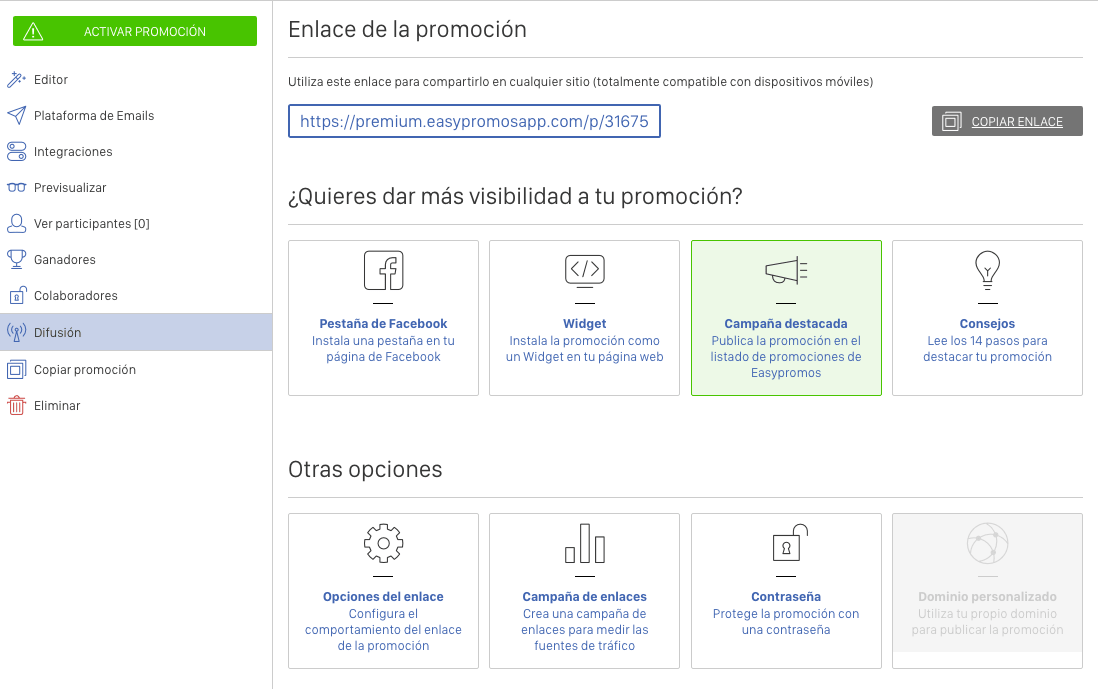
Broadcast
In this section the platform gives us the possibility to publish our promotion with different options:
What else did we do to make the campaign a success?
Our goal was to achieve the maximum number of impacts possible in the target audience of the Apartosuites, hence we added a second sweepstakes for those who shared the main sweepstakes and thus viralize the promotion. In the same way, a press release was prepared that talked about the prize, the raffle, its mechanics, where to participate and a brief summary of what the Apartosuites Jardines de SabatinI are. It was made to reach a base of media and blogs focused on Madrid, tourism, leisure and culture, antique cars (in reference to the hotel’s museum) and even weddings (as some of the cars on display are rented for the bride and groom on the day of the wedding). By generating a publication about the hotel and the sweepstakes we would get more participants interested not only in the prize but also in the Client.
From among these media and blogs, several of their editors were invited to live part of the experience of winning the award. The action consisted of a tour of the Gran Vía in the 1920s, a ride in three different models of vintage cars and a visit to the Apartosuite and its car museum, ending with a cocktail on the rooftop of the Apartosuite. With this, we got 7 prestigious bloggers from Madrid and online media to publish in their media about the Apartosuites Jardines de Sabatini and we improved the brand’s notoriety.
Of course, social media played a key role during the sweepstakes: we made a calendar of publications, thought up different messages and calls to action, creatives, etc. that were published on all the hotel’s profiles. This helped to keep the contest alive during the contest life cycle: launch, development and closing.
Did you find this article useful? We are Easypromos Ambassadors in Madrid and we can take care of that sweepstakes you have in mind or teach you how to use the tool to make it as effective as possible. Contact us!
And remember that you can leave us your doubts or your case in a comment.
