Launching a Facebook Ads campaign is easy. You just have to choose an objective (e.g. web traffic), a post and an audience. Simple campaigns can work well with simple objectives such as getting clicks or interactions, but using the Facebook pixel we can get the full potential of this social network.
What is the Facebook pixel and what is it used for?
As we told you in the article How to run retargeting campaigns with Facebook Ads, the pixel is a code that is included in the HTML of the website we want to monitor. This code, unique for each account we are using in the ad manager, can be configured to ‘jump’ when different pre-programmed events occur on the website: user registration, purchase of a product, viewing a page, click on a button, etc.
Using the Facebook pixel is very important because it allows us to measure the interactions that users make on our website and obtain valuable information for use in retargeting campaigns or simply to have more information on the performance of a particular campaign. Without the pixel, the actions performed by the user outside Facebook would remain invisible and our campaigns would not record data, so it is essential to install this pixel on the web as soon as possible.
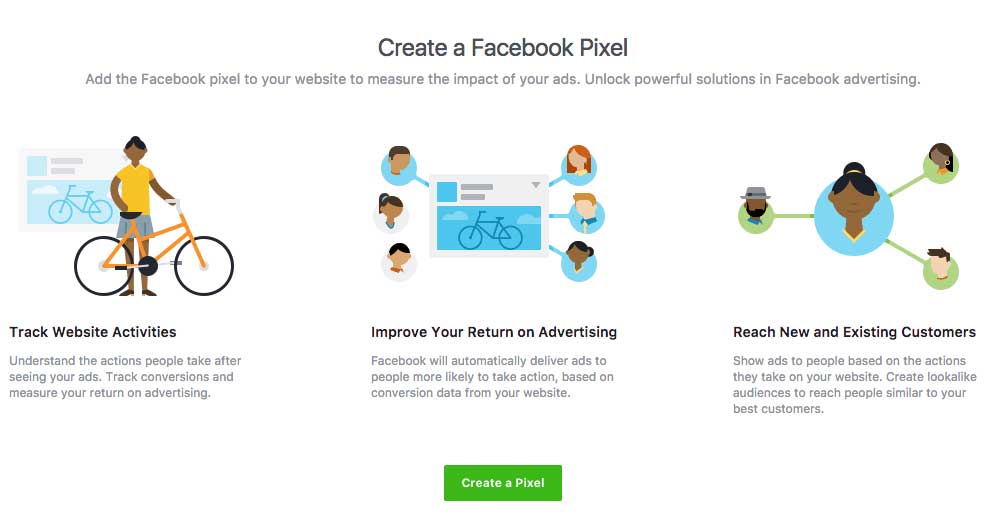
What exactly does the Facebook pixel measure and how to implement it?
Basically whatever we tell it to do. The pixel code is unique, that is to say, with only one code per website we can start monitoring users. However, for the measurement to be more useful and faithful, it would be advisable to configure the tracking ‘events’ of that pixel on the web page. An event is an action performed by the user within the web page.
You can find the pixel code in Event Manager > Pixel. Copy the code, go to your website and paste it at the bottom of the header section, just above the tag. The Facebook pixel code can be added above or below the tracking tags that already exist in the header of the site.
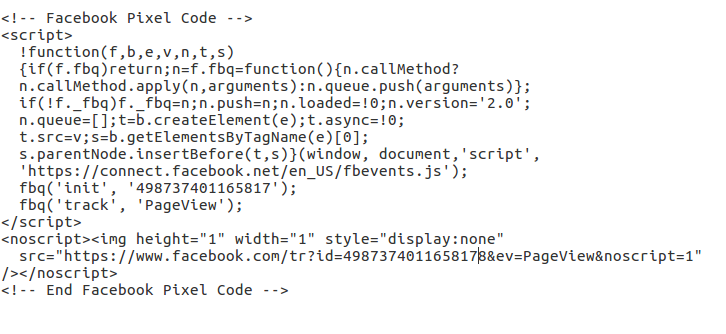
Depending on the objective of our campaign and what we want to measure (registrations, clicks…) it will be necessary to configure each of these events individually.
To do this there is a customization of the pixel code in the ‘track’ tag in which we can define which event we are measuring and therefore that there is a differentiation for example between a ‘page view’ and a ‘registration’. In general we have the following events:
- Buy
- Generate leads
- Complete registration
- Add payment information
- Add to cart
- Add to wish list
- Initiate payment
- Search
- See content

However, we can name them and use them in the way that suits us best, since what defines the type of event is not its name, but its placement within the page. By installing the Facebook pixel throughout the depth of the page, we will have the default ‘page view’ or ‘page view’ event in each of the URLs of the website. This way, we can track users wherever they go. But, in some specific pages we will want to measure something more than the ‘page view’ and, it is there where we will place the corresponding event. For example, if a user arrives at the contact page of the website, the pixel will mark that particular URL as a page view and link it to the user’s Facebook ID. If that user follows the process and completes the form, a thank you or confirmation message will appear once they have clicked through. Since that message will only appear to users who have completed the registration, that would be the appropriate location for the ‘complete registration’ event.
The goal is that each event is triggered only in the right place and at the right time to avoid duplicity in the count. If it is properly configured, we will start to obtain data from each of the events, which we can use in our campaigns.
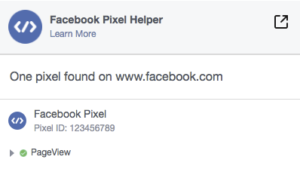
To check that the pixel jumps correctly on the corresponding page, we can use the Facebook Pixel Helper, an add-on for Chrome that tells us if the pixel has loaded correctly, as well as giving us information about the ID and the type of event it is measuring.
Which Facebook pixel events are most useful for my campaigns?
It depends on the objective you have set. As the standard event of the pixel is the ‘page view’, this will be the most basic and useful, as it allows us to know which Facebook or Instagram users have visited any of the URLs of the website. This is useful when it comes to retargeting campaigns since we can define the target audience based on the page they have visited and, therefore, their real interest in a particular category or product. But in addition to the ‘page view’ we must configure those that are most interesting for our website, which in general, will be related to the macro-objective and the micro-objectives of the site or of a campaign we are carrying out. The ‘complete registration’ should always be one of the active events, but if you have an online store, the most important is the ‘purchase’, essential to register sales.
The advantage of events is their flexibility. We can configure them to our liking depending on the needs we have. As they can also be included in a button, we can place it anywhere on the page where we want to monitor user behavior. All this data is what will make our Facebook campaigns really effective.
The Facebook pixel is an essential tool to ensure that Facebook campaigns achieve the best possible results, since it will be measuring the real events that occur on our website (such as registrations, sales, leads…) and will not be based exclusively on launching the ad to everyone who is interested in seeing it, but will optimize and choose the target audience based on the real results obtained by the campaign in real time.
