Index
- Why Shopping Carts Are Abandoned (and Why WhatsApp Recovers Them)
- WhatsApp App vs. WhatsApp Business API for Retrieving Shopping Carts
- The Message Flow That Drives Sales (Step by Step)
- WhatsApp Templates for Abandoned Carts (Examples)
- How to Avoid Burning Out Your Channel: Opt-In, GDPR, and Best Practices
- Connect WhatsApp to your CRM so you don’t lose the lead
- Metrics for Tracking Your Recovery
- Frequently Asked Questions
Recovering abandoned shopping carts with WhatsApp is one of the sales strategies with the highest return on investment for any online store. And it’s no coincidence: while a recovery email is opened, at best, in 20% of cases, WhatsApp maintains open rates close to 98%. If, on average, between 65% and 70% of shopping carts are abandoned before checkout, we’re talking about a huge number of sales that you were already close to closing. In this practical guide, you’ll learn, step by step, how to set up a WhatsApp recovery system in 2026 without burning the channel or violating the GDPR.
Why Shopping Carts Are Abandoned (and Why WhatsApp Recovers Them)
Before trying to recover a lost sale, it’s important to understand why the sale was lost. Most cart abandonments don’t mean “I don’t want it”; they mean “I can’t right now” or “I have a question.” The most common reasons include unexpected costs that pop up at the end (shipping, taxes), having to create an account, a lengthy checkout process, questions about delivery times or returns, and simple distractions: the phone rings, and the shopping cart is left halfway through.
That’s where WhatsApp comes in. Unlike email—which gets lost among dozens of unopened messages—a WhatsApp message lands right where your customer chats with family and friends: it gets read, and it gets read quickly. That immediacy, combined with a conversational tone that allows you to address the specific objection that held up the purchase, makes this channel the most effective tool for recovering abandoned carts via WhatsApp.
WhatsApp App vs. WhatsApp Business API for Retrieving Shopping Carts
The question that always comes up is the same: Is the WhatsApp Business app enough for me, or do I need the API? For a business with just a few orders a day, you might get by writing messages by hand, but as soon as you want to automate and scale up, the answer is clear.
Why the API Is the Best Choice
The WhatsApp Business API (now the WhatsApp Business Platform) is what allows you to send messages automatically, triggered by an event—in this case, an abandoned cart—without anyone having to remember to write them. It supports multiple agents, integrates with your store and your CRM, and is designed to handle high volume. The mobile app, on the other hand, is manual, runs on a single device, and doesn’t automate anything. If you want to fully understand the differences, you can find the details in our guide on what the WhatsApp Business API is.
What You Need to Get Started
To set up the recovery process, you need four things: access to the API through an official provider (BSP), a catalog or store that detects the “abandoned cart” event (WooCommerce, Shopify, PrestaShop…), the customer’s consent to contact them via WhatsApp (the well-known opt-in, which we’ll discuss below), and one or more message templates approved by Meta. Once that’s set up, the system runs on its own.
The Message Flow That Drives Sales (Step by Step)
Recovery isn’t a single message, but a sequence of three, spaced out over time. Not just one (you’ll fall short), nor five (you’ll overwhelm the customer). Timing is half the battle.
Message 1 — Reminder (30–60 min)
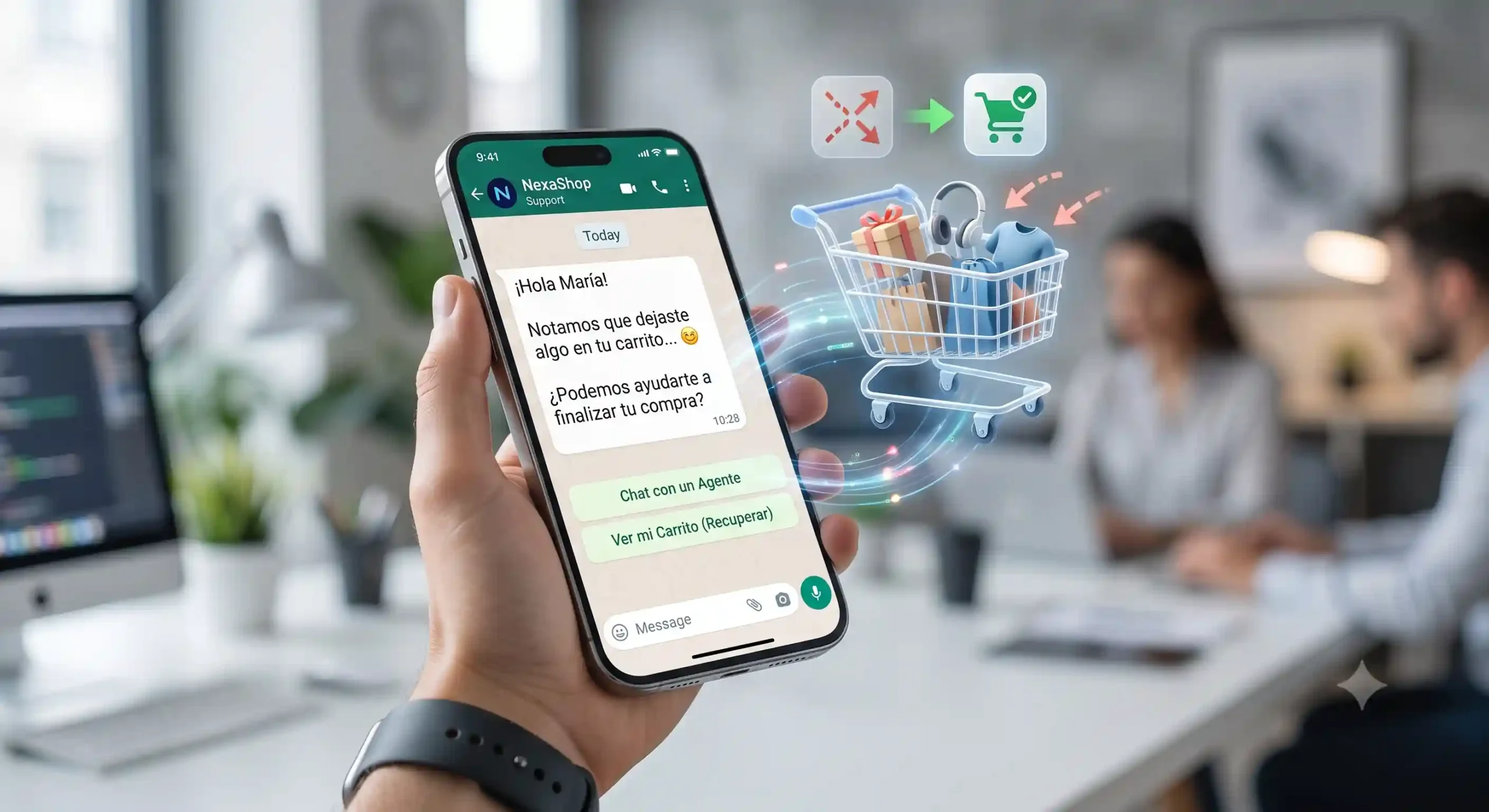
The first one is sent while the shopping cart is still fresh in the customer’s mind. It’s a friendly, no-pressure reminder: “We noticed you left something in your cart—can we help you finish up?” Many purchases fall through because of a distraction, and this simple nudge recovers a good percentage of them simply by making it easy to return to checkout with a direct link.
Message 2 — Handling Objections / Social Proof (24 h)
If they haven’t made a purchase within 24 hours, they probably have a question. This message focuses on addressing that objection: remind them of your guarantees (free shipping on orders over X, easy returns), provide social proof (reviews from other customers), and open the door for them to ask questions. This is where the channel really shines: the customer responds, and you—or a WhatsApp Business chatbot that handles the most common questions—close the sale right there in the conversation.
Message 3 — Encouragement and Urgency (48–72 h)
The final message is the one that gives customers a reason to make a decision right now: a small discount, free shipping, or a notice that stock is limited. Use it wisely—don’t train your customers to abandon their carts just to get a coupon every time—but, when used sparingly, it’s the final nudge that converts the undecided.
WhatsApp Templates for Abandoned Carts (Examples)
Remember that any proactive message (one that you initiate) must be sent using a Meta-approved marketing template. Here are three examples you can adapt, using variables in curly braces to customize them:
- Reminder: “Hi, {{nombre}}! 👋 We noticed you left {{producto}} in your cart. We’ve saved it for you. Want to continue shopping? 👉 {{enlace}}”
- Objection / social proof: “{{nombre}}, your {{producto}} is still waiting for you. Free shipping on orders of {{importe}} € or more, and no-questions-asked returns. More than {{valoraciones}} customers have already bought it ⭐ Ends here: {{enlace}}”
- Promotion: “Last call, {{nombre}} 🙌 Use the code {{cupon}} and get {{descuento}}% off your cart. Valid for 24 hours 👉 {{enlace}}”
Always customize the product and the link back to checkout: the less your customer has to search, the more you’ll recover.
How to Avoid Burning Out Your Channel: Opt-In, GDPR, and Best Practices
WhatsApp is an intimate channel, and that’s where its strength and its risk lie. An untimely message is three times more annoying than an email. That’s why the rules are non-negotiable. Rule number one: You need explicit consent (opt-in) to message someone on WhatsApp; you can’t send abandoned cart messages to anyone who hasn’t given you permission. Clearly obtain that permission during the checkout process or on the form.
In addition, comply with the GDPR: explain how you’ll use the number, keep a record of consent, and always provide an easy way to opt out (“Text UNSUBSCRIBE to stop receiving these alerts”). And be mindful of frequency: two or three messages per shopping cart is a reasonable limit; respect the timing, and don’t let your recovery efforts turn into spam. A well-managed channel drives sales for years; if misused, it burns out in a week.
Connect WhatsApp to your CRM so you don’t lose the lead
Bringing back a sale is great, but the real breakthrough comes when every conversation is logged in your CRM. By integrating WhatsApp with your CRM, every abandoned cart becomes a lead with its own history, messages, and status, and you can automatically trigger follow-up workflows without any manual effort.
If you use Zoho, you’ll find step-by-step instructions in our guide to integrating WhatsApp Business with Zoho CRM. Once the connection is set up, follow-up is no longer a one-off task—it becomes part of your sales process: you’ll know who dropped off, what you said to them, whether they responded, and how much you recovered.
Metrics for Tracking Your Recovery
What isn’t measured doesn’t improve. To find out if your system is working, keep an eye on four metrics: the recovery rate (recovered carts out of abandoned ones), the message CTR (how many people click the return link), the conversion rate of those clicks into sales, and, above all, the revenue recovered versus the cost of WhatsApp conversations. That last ratio is your true ROI, and for abandoned carts, it’s usually one of the highest in all of digital marketing.
Frequently Asked Questions
Can you send abandoned cart messages via WhatsApp without permission?
No. You need the customer’s explicit consent before contacting them. Sending recovery messages to someone who hasn’t authorized you violates both Meta’s policies and the GDPR, and puts your number at risk of being blocked. Obtain consent at checkout or through the form.
How many messages should I send?
Two to three per shopping cart, spaced out (reminder, objection, and incentive). Beyond that, the return rate drops and the risk of annoying customers—and of being marked as spam—rises.
Do I need the API, or is the WhatsApp Business app enough for me?
To do this automatically and at scale, you need the API. The WhatsApp Business app lets you reply manually from a mobile device, but it doesn’t allow you to trigger automated messages based on events or integrate with your store and your CRM.
Do you want to set up your cart recovery system using WhatsApp without putting the channel at risk? At Reinicia, we’ll guide you every step of the way with our specialized WhatsApp Business consulting services.