Easypromos continues to surprise us for good with improvements in your app. With its new premium template we can give free rein to our creativity in the designs of our sweepstakes and contests. In addition, it has been thought to give more prominence to the appearance of these on the mobile, improving its adaptability.
Available for Premium accounts and at no extra cost, you will find new features that you will surely appreciate in addition to all the ones you already know from the original template (now called Basic). As always, they have thought about making things easier for all users and all these customizations can be done without any HTML, CCS or programming knowledge. The most outstanding and the ones you will surely take advantage of are:
- The ability to change and customize the background
- Change action buttons
- A new structure: now you can choose between one or two columns
- Reduce the space available for promotion description
- Ability to disable the presentation screen and go directly to the attendance screen
Start using your Premium template
Access the Editor. In the left menu, go to Design and here you will find your template automatically as Premium. On this same screen, you will see a horizontal menu where you can choose to change the template, the buttons, the fonts, the colors, the container and the background image. Not convinced? No problem. You can go back to the basic one by clicking on the purple button, but only when the promotion is in draft, never once you have activated it.
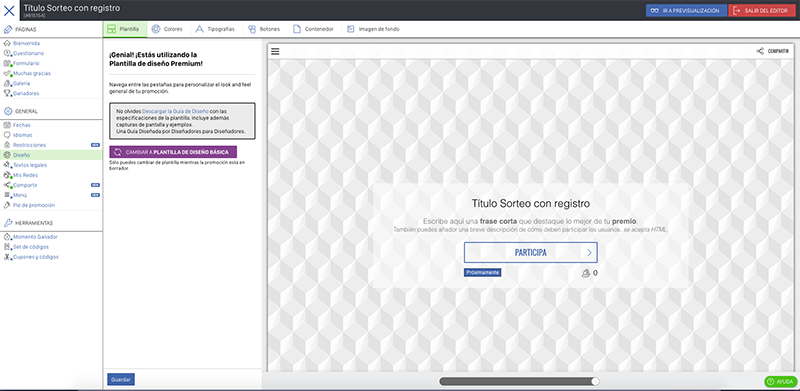
You will have these elements at your disposal:
- The header with sharing buttons
- The footer with links to your website and privacy policies or legal texts, and the Easypromos logo.
- Wallpaper, one of the big changes: you can customize it and you will see that in the mobile version it adapts perfectly. Within the Editor you can customize its color, the background image, etc. You can use your own photos or creativities or one of the Esypromos proposals.
- Main container, on the background: you will include the header images, the texts… Also from the Editor, in Design, you will be able to make the changes referred to all the screens. You can give the color you want to the texts, change the fonts, buttons (and their style) and links. You can vary their height and position also here. To vary the width of the container and structure of the content, you must configure it screen by screen, as in the Home Page or Quiz.
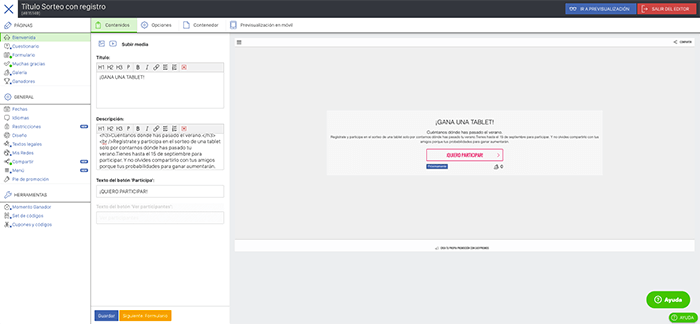
Want to see the differences? In this first image we have the Welcome to the contest module, in it we have only customized the colors of the button and the texts:
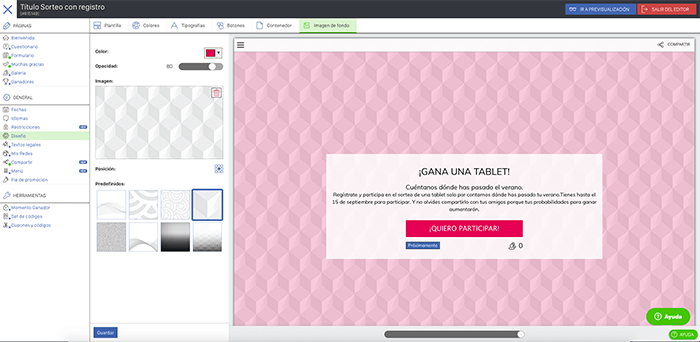
And so it remains once we have selected as many customization options as we have deemed necessary: the colors and design of the buttons (for example, we have made them opaque with white text); primary and secondary typography; the semi-transparent container of the text; and the background, for which we have selected one of the backgrounds offered by Easypromos and we have given it color.
Still not sure or don’t know where to start? Contact us! We can make that raffle you have in mind for you.


