In the world of digital marketing, effective communication with your audience is essential. One of the most powerful tools to achieve this is Mailchimp, an industry-leading email marketing and CRM platform. And if you have a WordPress website, you’re in luck, because combining these two powerful tools can take your marketing strategies to the next level.
In this article, we will guide you through the key steps to integrate and configure Mailchimp on your WordPress website, so you can capture leads, automate campaigns and maintain effective communication with your audience in a simple and efficient way.
What is Mailchimp?

Mailchimp is a versatile digital marketing platform that offers a wide range of functionalities beyond email marketing. It works as a customer relationship management (CRM) tool, allows the creation of landing pages, and facilitates the management of advertising on platforms such as Facebook and Instagram. In addition, Mailchimp’s integration with WordPress allows you to efficiently manage your database through subscription forms on your website.
With the automation, segmentation and data analysis possibilities it offers, Mailchimp has become an integral option for the digital marketing needs of companies and entrepreneurs.
Both free and paid plans are available. The free option, known as the “Free Plan,” allows users to send a limited number of emails and has certain restrictions in terms of functionality and storage capacity. Paid plans, on the other hand, offer additional features and flexibility. The cost varies according to the number of subscribers and desired functionality.
Ideally, check on Mailchimp’s website or contact them for the most up-to-date pricing and feature information.
As official Mailchimp partners, at Agencia Reinicia we can help you from implementing the setup, to preparing the designs and automations to reach the right audience, we are here to make it all a breeze 😎.
Advantages of having Mailchimp and WordPress connected
- Effective audience management
The integration allows you to automatically synchronize Mailchimp subscriber lists with your WordPress site. This simplifies the management of your contacts and ensures that you always have up-to-date mailing lists. - Creation of customized subscription forms
You can design attractive and personalized subscription forms using Mailchimp and then easily integrate them into WordPress. This makes it easy to capture leads. - Automation
You can set up automations in Mailchimp, such as automated email sequences for new subscribers or follow-up emails after a user performs a specific action on your website. This will save you time and increase the effectiveness of your campaigns. - Advanced segmentation
Mailchimp offers powerful segmentation tools that allow you to divide your mailing list into specific groups based on various criteria. This allows you to send relevant and personalized content to different segments of your audience. - Content personalization
With user information stored in Mailchimp through the forms embedded in the web, you can customize your emails and messages, encouraging engagement and conversion by targeting each contact in your audience in a personalized way. - Brand consistency
By using personalized forms and emails, you can maintain brand consistency in your communications, which reinforces your brand recognition among subscribers. - Conversion tracking
The integration allows you to easily track conversions on your website through personalized links in your emails, which helps you measure the impact of your marketing campaigns.
Do you want to maximize the potential of your WordPress website with Mailchimp?
How to integrate Mailchimp and WordPress?
Sign up for Mailchimp
Access Mailchimp’ s official website and select the Free Plan. Fill in your details with an email address, username and assign a password.
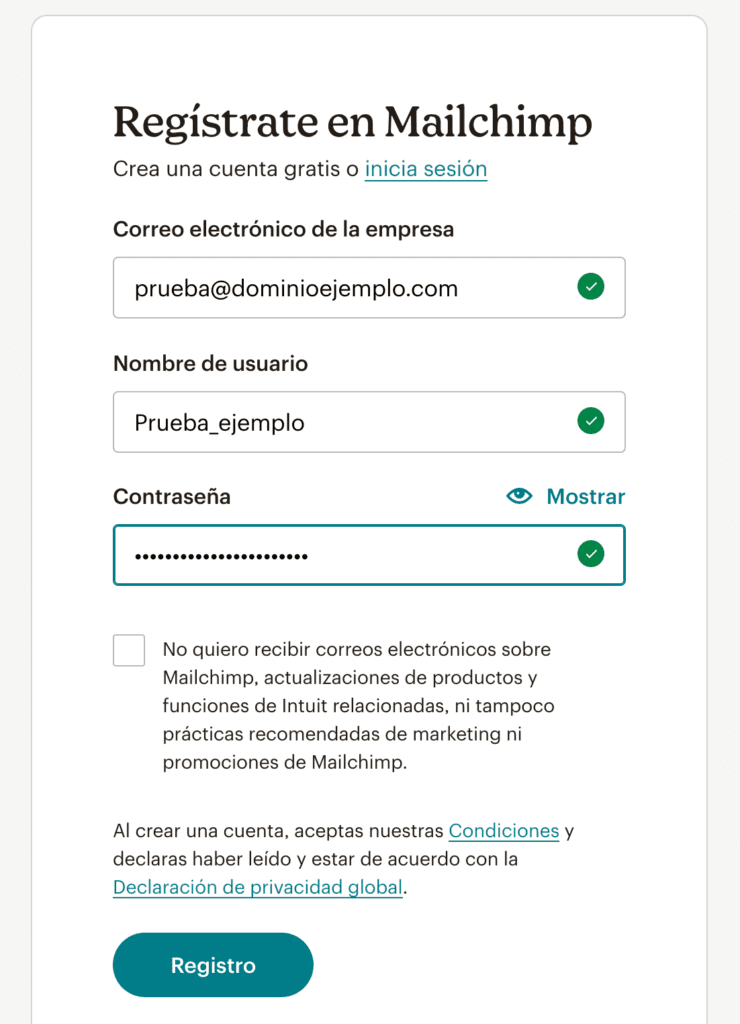
We are going to make the integration by adding the code directly to our website, which is very easy and will save us from having another plugin on our site. Let’s go there!
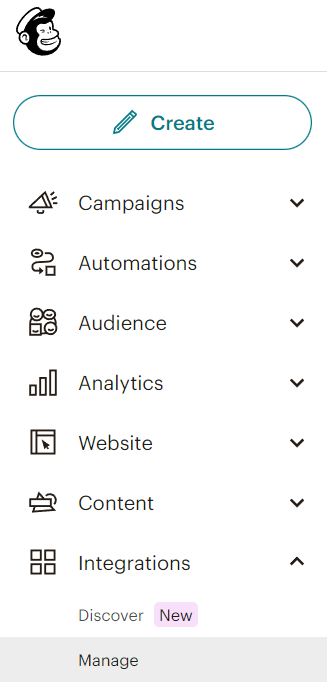
Go to the left side menu of the screen and select the last option “Integrations”.
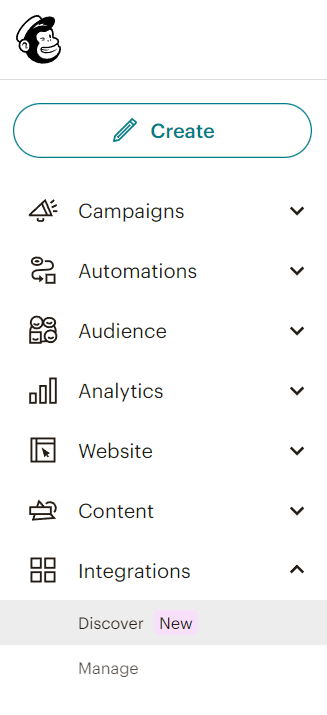
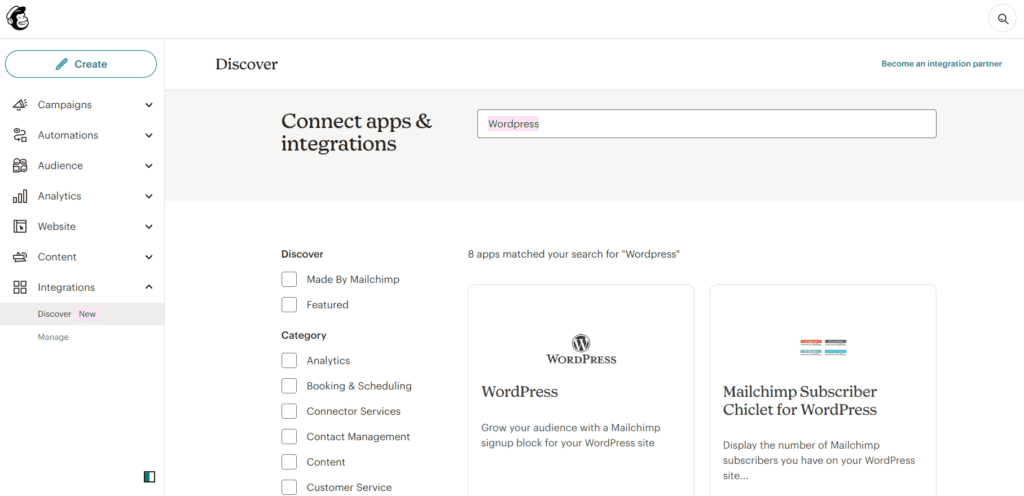
2. In the search engine on the top bar type “WordPress” and select the first option that appears.
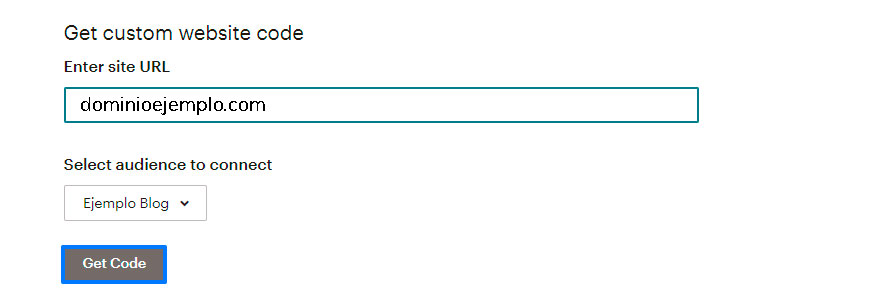
If you wish to view the code you need to incorporate into your website, simply click on “Get code” and copy the content. Make sure you do not close this window, as you will need it again in the process.
4. Open a new window and log in to your WordPress dashboard. In the side menu, select “Appearance” and then “Theme Editor”. Then paste the code we copied previously into the ‘header.php’ file of your website, placing it before the closing tag . To save the modifications, click on “Save file”.
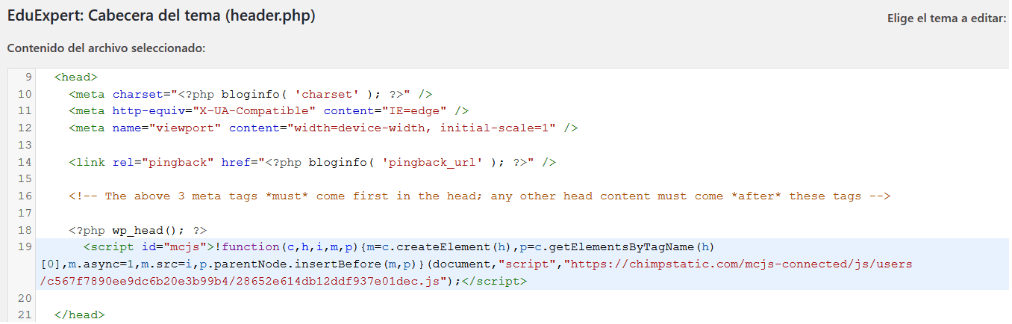
5. To finish, go back to Mailchimp and select the “Check connection” option.
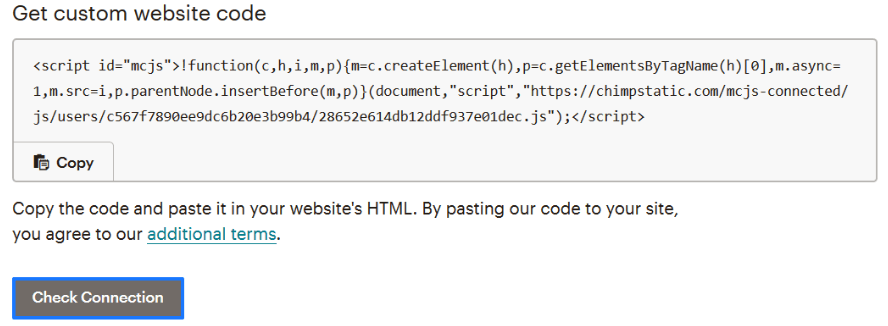
Wait a few seconds until you see on the screen that the connection has been successfully made and… You’re done!
How do I verify and manage the connection between Mailchimp and WordPress?
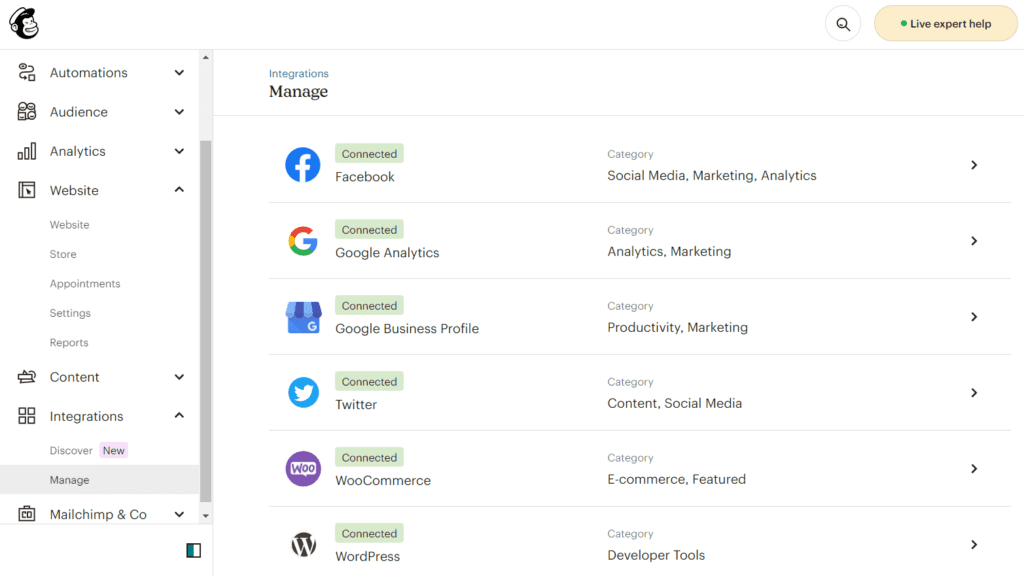
In the same menu from which we accessed “Integrations” we can access “Manage”.
There we will see all the current integrations and connections with our Mailchimp account. From this point we will be able to manage it.
Mailchimp and WordPress integration can be a real boost to your digital marketing efforts.
Now you have the tools and the know-how, so go ahead, integrate and configure Mailchimp on your website and make your marketing more effective than ever!


