Retargeting, remarketing… They are similar terms for the same thing: retargeting with our advertising to a group of users to whom we have previously shown our content. This is one of the most effective digital marketing techniques and the main reason why users’ behavior is monitored inside and outside social networks. Facebook has very effective tools for retargeting, here are the most important ones.
How to run retargeting campaigns with Facebook Ads
How does retargeting work?
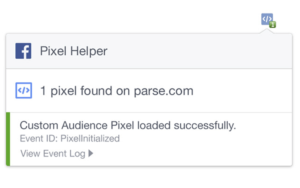
You can’t re-engage an audience that hasn’t been previously impacted. But it’s not just about launching an ad and getting the user to do the action, you need to have the necessary tools to monitor those actions. In Facebook Ads this is achieved through the tracking pixel.
A pixel is a code that is included in the HTML of the web we want to monitor. This unique code for each account that we are using in the ad manager can be configured to ‘jump’ when different events occur: user registration, purchase of a product, viewing a page, click on a button…
Each user who performs the event we have indicated will be ‘marked’ in what is called ‘audience’, which is the total number of users who have performed the same action. Once the audiences have been created, they can be included in the segmentation of our campaign to perform retargeting on those users.
How to create an audience on Facebook Ads
There are several types of audiences that we can use in our Facebook Ads retargeting campaigns:
Facebook Ads Custom Audience
- Customer archive: we can upload our customer database to impact them with Facebook campaigns.
- Website traffic: by using the pixel we can indicate the url of the page on which we want to create the audience. For example: users who have seen the landing page of the offer.
- Activity in the application: if we have the Facebook SDK installed, we can record user actions in our app to create audiences.
- Off-line activity: here we can monitor events that do not occur on the web itself, such as telephone contacts, physical purchases in a store, etc. This is done through an API previously configured and integrated with the different compatible systems.
- Interaction: all users who have interacted with any of the following Facebook formats are ‘tagged’: video, form, full screen experience, Facebook page, Instagram business profile or event.
Similar audiences on Facebook Ads
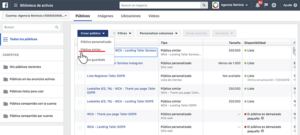
The lookalike audience is based on a previously created audience. This functionality makes Facebook look for a group of users as similar as possible to a specific audience, so the chances of achieving a conversion will be a priori higher than if we use a generic segmentation, since the characteristics of these users are very similar to those we have already impacted.
To define a similar audience you must define the origin (in which previous audience we are going to base ourselves) the location(you can define the similar audience but only from a specific location, even abroad) and then the size of the audience. The size is fixed because it is based on a percentage of the population of the chosen location. For example, if we take Spain as a reference, the audience size could be between 1% and 10% of the total number of users in the whole country.
How can I do retargeting on Facebook?
A Facebook retargeting campaign is hardly different from a normal one. The only difference is at the ad set level (adset) since it is in the segmentation part where we will have to select the audience that we have previously created. In general, a custom audience tends to have a small reach, so it is normal to create different ad sets with slightly different segmentations to see which one works best. But sometimes the usefulness of an audience is not to use it to re-target users, but to exclude them from a more open targeting. For example, exclude users who have already bought tickets for an event to avoid retargeting them again. The rest of the campaign is set up the same, although it is quite important to adapt the message and the content of the posts when we are launching a retargeting campaign.
