Index
What is Zoho Desk?
Definition and Origin of Software
Zoho Desk is Zoho Corporation’s customer service software, designed to centralize and professionalize support for businesses of all sizes. It was launched as the first “context-aware” help desk tool on the market: when a customer contacts your company, the agent not only sees the message but also the customer’s complete history of interactions, past purchases, and profile information—all without leaving the same screen.
The tool was originally called Zoho Support, and over time it evolved into an omnichannel platform with built-in artificial intelligence, which is now used by more than 100,000 companies worldwide.
Zoho Desk within the Zoho ecosystem
One of the major advantages of Zoho Desk is that it is part of the Zoho ecosystem, which means it integrates natively with Zoho CRM, Zoho Books, Zoho Analytics, and the rest of the suite’s applications. When a customer opens a support ticket, the agent can view their sales history, invoice status, or any previous interactions recorded in the CRM in real time, without having to switch applications or search for data in other tools.
This native integration is particularly relevant for companies that already use Zoho One, since Zoho Desk is available as part of the package at no additional cost.
Differences from Other Help Desks on the Market
Compared to other solutions such as Zendesk, Freshdesk, or Intercom, Zoho Desk stands out in three areas: pricing (significantly more competitive across all plans), the depth of integration with a comprehensive business ecosystem, and the inclusion of its own artificial intelligence at no extra cost. While on other platforms AI features are reserved for the most expensive plans, on Zoho Desk the Zia assistant is available starting with the Enterprise plan, and the new preconfigured Zia Agents are offered at no additional cost.
What is Zoho Desk used for?
Support Ticket Management
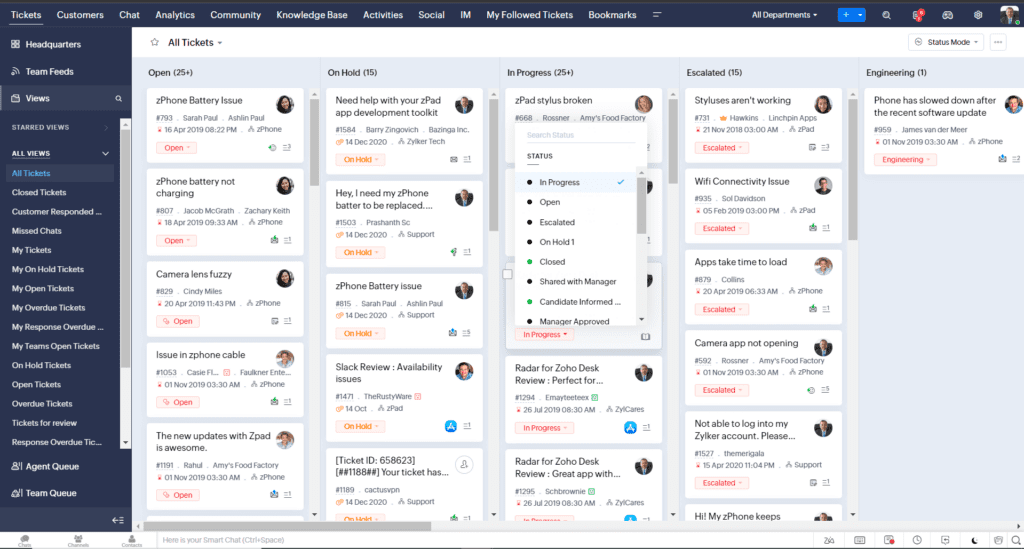
At the heart of Zoho Desk is its ticketing system: every inquiry received through any channel is automatically converted into a ticket with a tracking number, priority, status, and assigned agent. The support team can see at a glance what’s pending, what’s in progress, and what’s been unresolved for too long.
Multichannel customer service (email, chat, WhatsApp, social media)
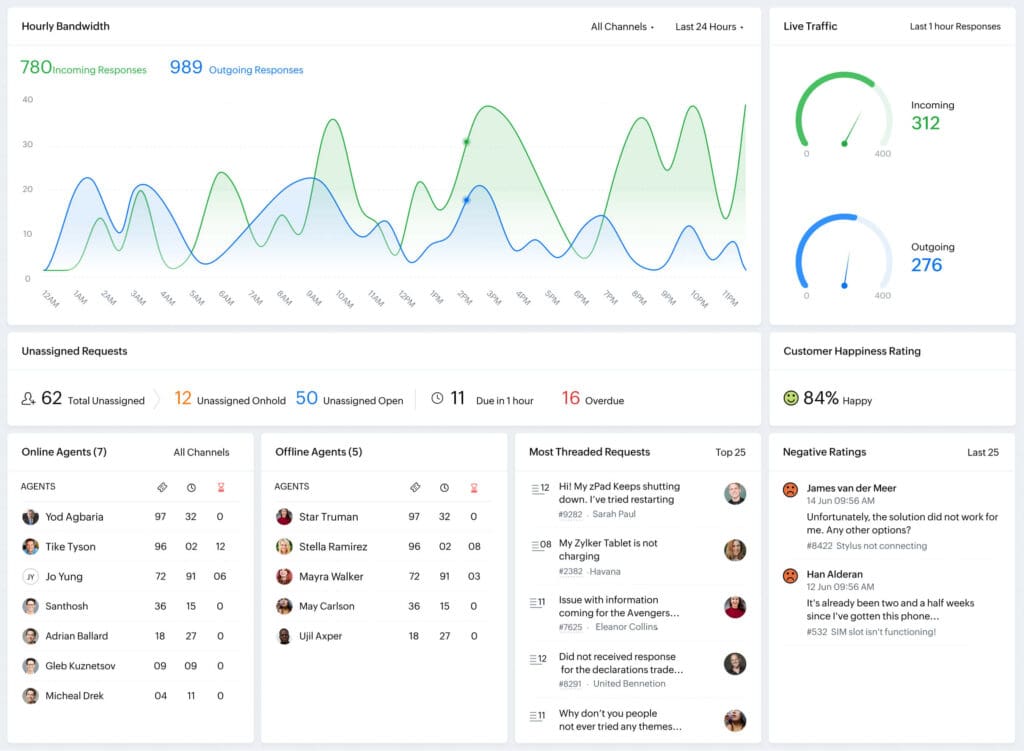
Customers don’t choose the channel that’s most convenient for the company—they choose the one that’s best for them. Zoho Desk consolidates inquiries received via email, live chat, WhatsApp, Facebook Messenger, Instagram, phone, and web forms into a single interface. The team responds from the same dashboard regardless of the source channel, which eliminates information silos and ensures that no inquiry goes unanswered.
Automation of Service Processes
With Zoho Desk’s automation rules, you can set up actions that occur automatically: automatically assign urgent tickets to a supervisor, send a notification when a case has gone unanswered for more than four hours, or escalate it to another department if the customer has submitted more than three tickets regarding the same issue. This reduces the team’s operational workload and ensures that processes are followed consistently.
Knowledge Base and 24/7 Self-Service
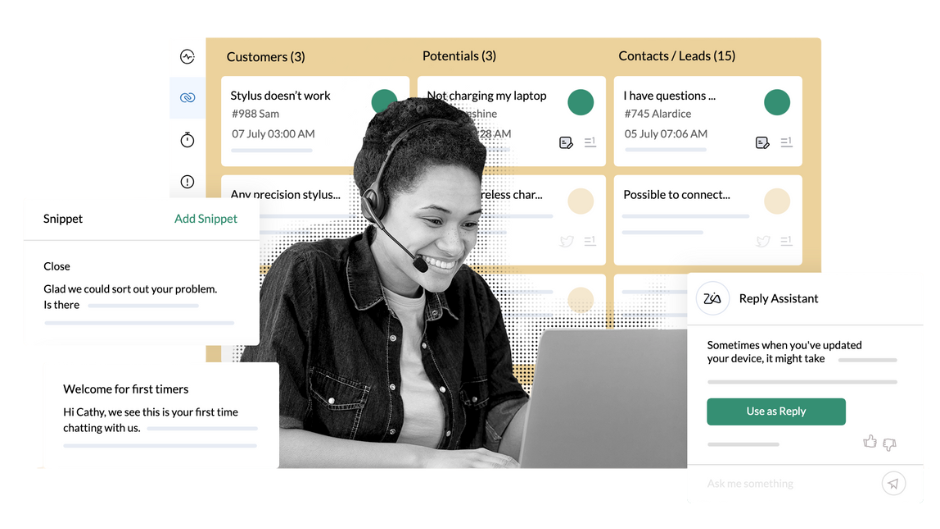
Zoho Desk lets you create a self-service portal with articles, guides, and FAQs that customers can access at any time. This not only improves the customer experience but also reduces the volume of repetitive tickets received by the support team. Zia’s Answer Bot powers these searches with answers pulled directly from the knowledge base.
At Reinicia we are specialists in Zoho Desk
Key Features and Functions of Zoho Desk
Smart Ticketing System
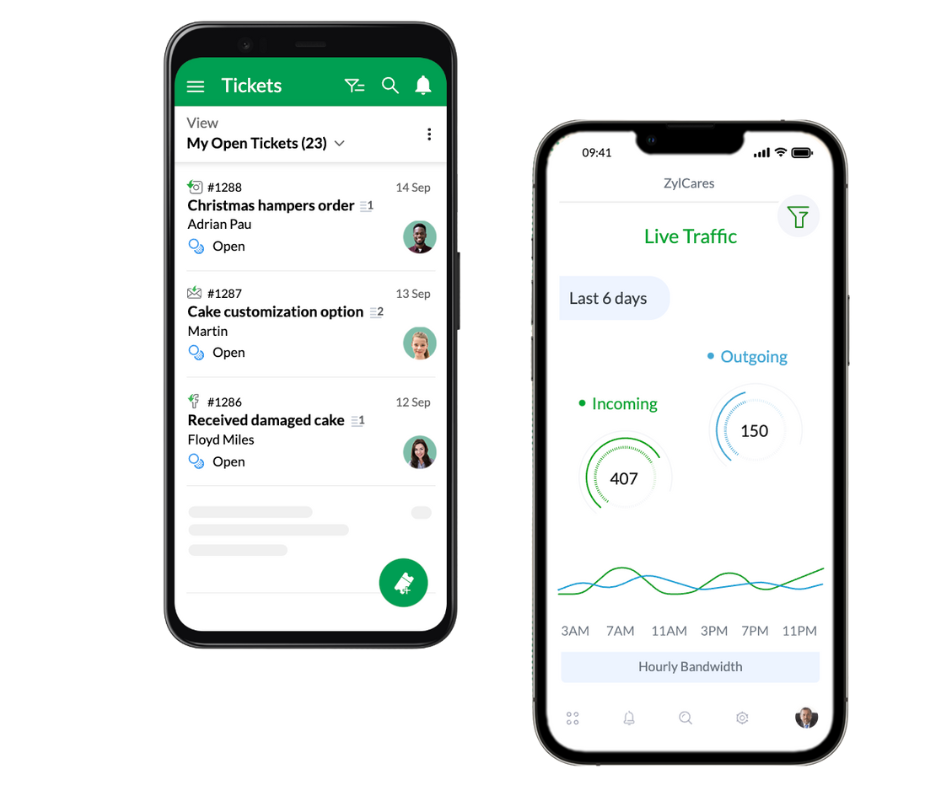
All tickets are automatically categorized by channel, department, and priority. The system detects duplicates, suggests tags, and allows you to create custom views for each agent or team. The Zoho Desk mobile app ensures that your team can manage cases from anywhere with push notifications for urgent issues.
Zia: Zoho Desk’s AI
Zia is Zoho Desk’s artificial intelligence engine. It analyzes the tone and sentiment of each ticket, generates summaries of long threads, suggests responses, and can predict which cases are at risk of being escalated. In 2025, Zoho introduced the preconfigured “Resolution Expert” agent, which learns from closed cases to automatically enrich the knowledge base and speed up the resolution of similar issues in the future.
The most significant development looking ahead to 2026 is Zia’s integration with external language models via the MCP (Model Context Protocol). Thanks to this open standard, it’s possible to connect tools like Claude or ChatGPT directly to Zoho Desk to run natural language queries, create tickets, view histories, or automate complex tasks from within the AI assistant itself, without the need for additional development.
Automatic assignment and workflows
Assignment rules allow you to distribute the workload evenly among agents (round-robin), assign based on specialization, or prioritize according to customer value. The blueprints in the Professional plan let you define step-by-step processes that guide agents through each stage of resolution, ensuring that internal procedures are followed correctly.
Customer Satisfaction Reports and Analyses
Zoho Desk generates reports on response times, first-contact resolution, agent productivity, and CSAT scores. When connected to Zoho Analytics, you can cross-reference this data with sales or marketing information to gain a comprehensive view of the customer lifecycle.
Integrations with Zoho CRM and external apps
In addition to native integration with the entire Zoho ecosystem, Zoho Desk connects with more than 200 third-party applications, including Slack, Jira, Shopify, WooCommerce, and Salesforce. For custom integrations, it offers an open API that allows you to connect any system to the help desk.
Benefits of Implementing Zoho Desk in Your Company
Improving the Support Team’s Productivity
The automation of repetitive tasks, smart ticket assignment, and Zia’s response suggestions allow agents to focus their time on the cases that truly need their attention. Less time searching for information, less time writing responses from scratch, and less time manually coordinating assignments. The result is a more productive team that resolves more cases in less time.
Reduced response time
Zoho Desk’s configurable SLAs allow you to set response time commitments by ticket type, channel, or customer plan. Automatic alerts before an SLA is violated prevent urgent cases from being overlooked, and performance reports help identify bottlenecks in the support process.
Increased Customer Satisfaction
A customer who receives a prompt, consistent, and personalized response is much more likely to return and recommend your business. Zoho Desk provides agents with the context they need to ensure that every interaction is relevant, and the built-in satisfaction surveys allow you to measure in real time how customers perceive the service they receive.
Scalability for SMEs and large companies
Zoho Desk’s pricing structure allows you to start with the free plan for three agents and scale up to manage support operations across multiple brands, departments, and languages with the Enterprise plan. Companies don’t need to switch tools as they grow—they simply upgrade their plan and enable the features they need at any given time.
Zoho Desk Plans and Pricing
Free Plan
Zoho Desk offers a free plan for up to three agents that includes basic ticket management via email, a help portal, and tags. It’s a good option for small teams that want to start organizing their customer service without an initial investment.
Express, Standard, Professional, and Enterprise Plans
The payment plans (billed annually) are as follows: Express starting at 9 €/agent/month, with basic multichannel support and automation rules; Standard starting at 20 €/agent/month, with SLAs, escalation, and a self-service portal with brand customization; Professional starting at €35 per agent per month, with advanced automation via blueprints, round-robin assignment, time tracking, and a multilingual knowledge base; and Enterprise starting at €50 per agent per month, with integrated live chat, all Zia features, multi-brand portals, automatic knowledge base translation, and a testing environment (sandbox).
Feature Comparison by Plan
The most significant difference between plans occurs in two steps: from Express to Standard, where SLAs and full multichannel automation are enabled; and from Professional to Enterprise, where all of Zia’s AI capabilities and multibrand management are activated. For most growing small and medium-sized businesses, the Professional plan offers the best balance between price and functionality.
How to Get Started with Zoho Desk
Step-by-Step Initial Setup
Zoho Desk offers a free trial that provides full access to all features during the trial period. Initial setup includes creating departments, importing contacts, connecting communication channels, and defining basic automation rules. Zoho offers guided setup packages (Jumpstart) for companies that want to speed up their rollout.
Migration from another help desk
If you’re already using another support platform, Zoho Desk lets you import tickets, contacts, and history from Zendesk, Freshdesk, or other systems using native migration tools or third-party connectors. Having the support of an official Zoho partner through this process ensures that your data is transferred correctly and that the new environment is configured to align with your company’s actual processes.
Best Practices for Implementation
The key to a successful implementation is not to try to activate everything at once. The most effective approach is to start with the main channels, clearly define escalation workflows, and train the team before incorporating advanced automation features. At Agencia Reinicia, we guide you through the entire process: from initial setup to team training and monitoring during the first few months of use. Contact us and tell us about your situation.
Zoho Desk Reviews and Success Stories
User Reviews
On platforms such as G2 and Capterra, Zoho Desk consistently receives positive reviews, particularly regarding its value for money. Users highlight its ease of use, integration with the rest of the Zoho ecosystem, and customization capabilities. A recurring point in reviews is that the learning curve can be steep at first given all the available modules, which is why support from a specialized partner makes a real difference.
Sectors that use it the most
The industries that use Zoho Desk the most are technology and software (SaaS), e-commerce, healthcare, education, and professional services—all of which share a common need to manage high volumes of inquiries in an organized and scalable manner. Companies such as Mercedes-Benz use the platform to manage customer satisfaction across their entire dealer network.
Frequently Asked Questions About Zoho Desk
Is Zoho Desk free?
Yes, there is a free plan for up to three agents with basic features. It’s sufficient for small teams just getting started, although for higher-volume operations or automation needs, one of the paid plans will be necessary.
Does it integrate with Zoho CRM?
Yes, integration with Zoho CRM is one of Zoho Desk’s most highly valued features. It lets you view the customer’s complete profile directly from the support ticket: purchase history, sales pipeline, previous interactions, and any data recorded in the CRM.
Is it suitable for small businesses?
Absolutely. The pricing structure and the availability of a free plan make Zoho Desk accessible from day one for any company, regardless of its size. Plus, its scalability ensures that the tool can grow at the same pace as the business without the need to migrate to another platform.
At Reinicia we are specialists in Zoho Desk
