Index
Whatsapp integration
If you have a business and use WhatsApp to talk to your customers, you probably already know how useful it is. But what happens when you have more conversations than you can manage manually? This is where WhatsApp integration with Zoho CRM comes in.
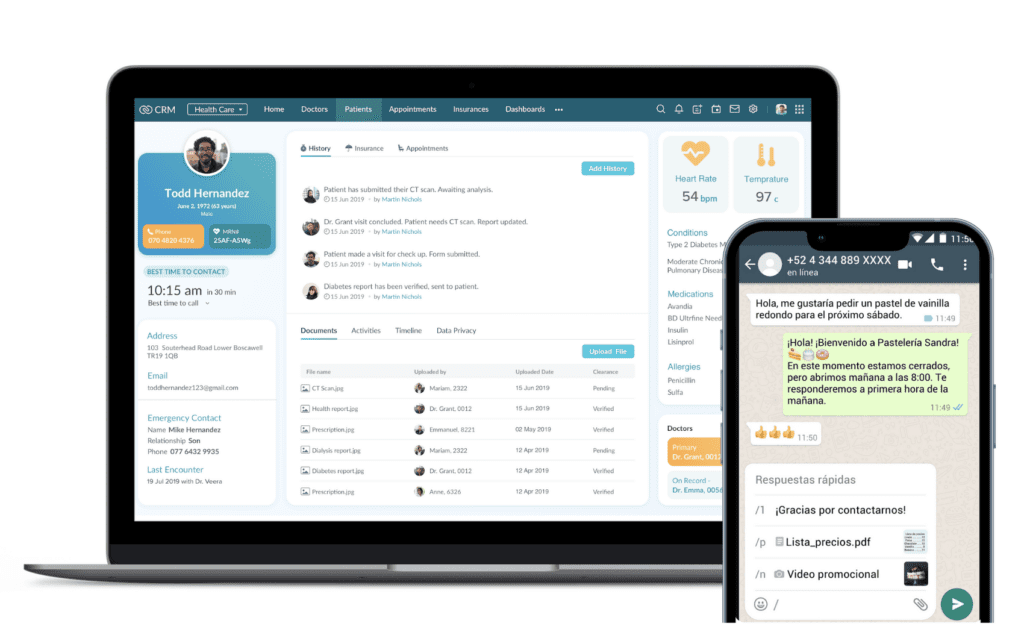
Imagine being able to visualize in the same platform all your WhatsApp conversations along with the information of each of your customers. This is what the WhatsApp integration with Zoho CRM allows, which eliminates the need to use an application for everything, maximizing productivity by linking conversations with each customer’s profile.
Whatsapp’s open rate is 98%.
The open rate of WhatsApp messages is close to 98%, that is, practically everyone is going to read those messages. This is an exceptionally high ratio for business communication, so by combining it with Zoho CRM you get a very versatile tool, with which you can automate responses, send personalized offers and, most importantly, not lose any potential customers.
Prerequisites for integration
Before connecting WhatsApp Business with Zoho CRM you need to consider the following requirements: .
First, you need the WhatsApp Business API (not the normal app you have on your phone). To get it, you have to go through a verification process with Meta (the company that owns WhatsApp). It’s a pretty messy process, but necessary if you want to be able to use the tool. And believe us: it’s worth it.
You also need a Zoho CRM account that allows you to do the integrations. The Professional, Enterprise or Ultimate plans work best for this, although it depends on the size of your business. The Basic plan does not allow Whstapp Business integration with Zoho CRM.
And beware that this part is important: Meta gives direct access to WhatsApp Business API, but it is necessary to work with an authorized provider that acts as an intermediary. There are many companies that offer this service, such as Twilio, MessageBird or 360Dialog.
Before you start, and once you have everything ready, create an action plan: what messages are you going to automate? What types of responses do you need? Find the tone and communication that best fits your business philosophy.
Available methods to integrate WhatsApp Business with Zoho CRM
You have several ways to make Zojo CRM integration with Whatsapp fit what you need. Here are some options:
- Using Zoho Social (the easiest option): if you already use other Zoho products, this is your best option. Zoho Social allows you to manage WhatsApp Business directly from the Zoho ecosystem. It’s the best way to manage everything from the same place.
- With connector tools like Zapier, Make (formerly Integromat) and other similar platforms act as bridges between WhatsApp and Zoho CRM. They are perfect if you want to automate specific things, such as: creating a new customer in Zoho CRM every time you receive a new message on WhatsApp for the first time.
- Specialized platforms: companies such as Twilio, MessageBird or WhatsApp Business Solution Providers offer solutions that connect WhatsApp with your CRM. They usually have more advanced features, but are also more expensive.
- Custom development: this is a more complex option but very suitable if you need a customized solution. The idea is to have maximum control of the process, but for this you will need a development team.
Which option you choose depends on your budget, the complexity of your business and whether you can afford to hire a developer. But for most businesses, solutions like Zoho Social or Zapier tend to work well and suffice.
Advantages of having WhatsApp integrated with CRM
When you connect Whatsapp Business with Zoho CRM, it completely changes the way you work with your potential customers. Here are some of the most important advantages:
All functionalities in the same place: No need to open WhatsApp on the mobile on one hand, and the customer data in Zoho CRM on the other. All conversations are registered together with the customer’s data in Zoho CRM. Having the history of recorded conversations in your own database is extremely useful when interacting with that person.
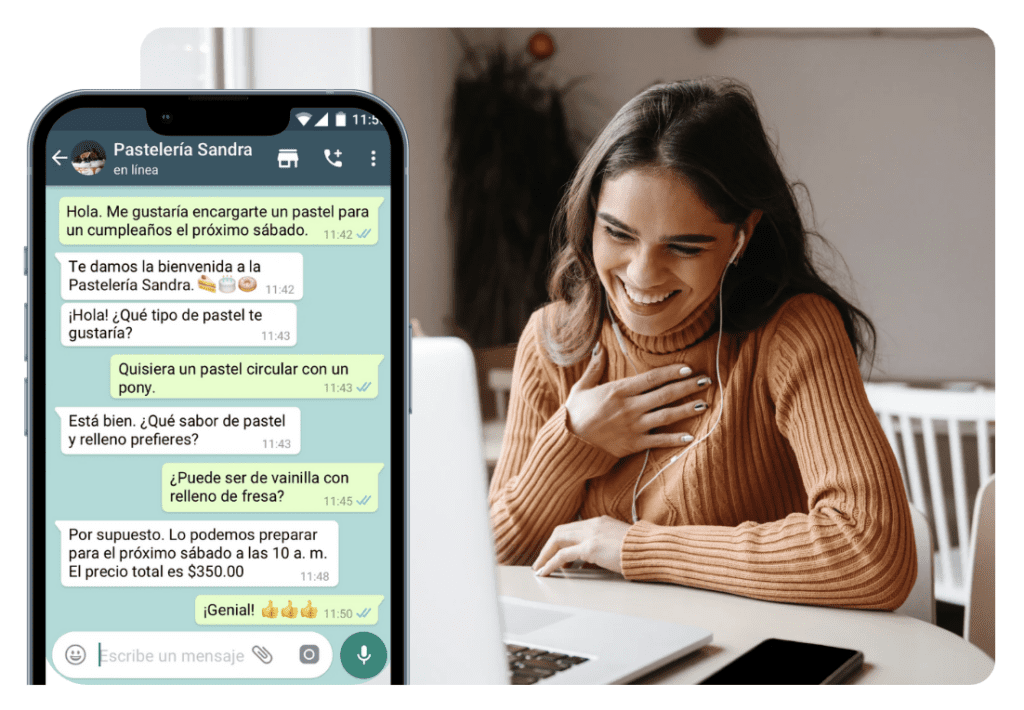
Intelligent autoresponders: you can set up responses that are sent automatically based on the context and history of conversations with the customer. For example, if someone who has already purchased asks you about the status of their order, the system can automatically respond with tracking information.
Personalized campaigns: having all your customer data in Zoho allows you to create segmented campaigns based on their interests or circumstances. Instead of sending the same generic message, you can send a personalized one that will surely improve the customer experience.
Imagine being able to visualize in the same platform all your WhatsApp conversations along with the information of each of your customers.
Improve the sales process: when communicating with your customers, you will be able to consult all communications beforehand and adapt calls or meetings to the current context, maximizing positive interactions.
Statistics useful for decision making: the integration between WhatsApp and Zoho CRM allows you to obtain a multitude of data such as the number of messages sent, replies, conversion, etc. It will be much easier for you to create reports and statistics useful for decision making.
Easy customer follow-up: it is possible to create automatic notifications that help you to make an exhaustive and personalized follow-up of the sales process with your customer.
Frequent errors and how to avoid them
Yes, there are things that can go wrong when you connect Zoho CRM with WhatsApp. But we’re here to tell you about the most common mistakes to help you through the process:
Start without prior planning: there are cases of businesses that start connecting everything without thinking about how they are going to organize themselves. Before you start, decide which messages you are going to automate, who is going to answer which type of queries and how you are going to distribute the work among your team. Doing this beforehand will allow you to optimize the setup process. You can find a lot of information on the internet about how to plan a specific Whatsapp or communication campaign, but always start by trying to answer the main questions: Who am I targeting? What do I want to tell them? What do I want them to do? How can I get them to do it?
Problems with message templates: WhatsApp Business API forces you to use approved templates for certain messages. If you don’t prepare them right from the start, they may be rejected and you may have to wait for days to be able to send automatic messages.
If you send messages that are not interesting or you send too many messages, people will block you. Use the information you have in Zoho CRM to send only what is really interesting to each person. Another simple way to identify what is or can be the frequency or quantity of messages we send is to ask ourselves, how often we do not consider uncomfortable to receive information, or ask ourselves, when I felt that what I was sent was of value to me?
Not training your team: changing the way you work requires everyone to know how to use the new tools. If you don’t spend time explaining how it all works, your team will not take advantage of it and the usefulness of these tools will diminish.
Not measuring results: if you don’t measure, you’re going in blind. To improve something you have to understand what is happening, and that is why you need to choose what your objectives and KPIs are and make sure that everything is being measured correctly.
What we do not measure we cannot improve
Reply late or don’t reply at all: people expect immediate responses when using WhatsApp. Do not leave messages unanswered for hours, because it is likely that the user will not be so patient. Take advantage of the full potential of automations so that no message goes unanswered, and thus calmly manage all those that require your full attention.
Remember: a message is always better, even if it’s automatic, than no message at all. The integration between WhatsApp Business and Zoho CRM has immense potential to change the way you engage with your customers. Not only can you improve the customer experience, but the efficiency of your processes and overall business performance. These types of solutions can set you apart from the competition.
Don’t forget AI as a resource to be able to give immediate and simple answers to your users to make your job easier.
In Reinicia we are specialists in Whatsapp Business API


